
Photoshop Gurus Forum
Welcome to Photoshop Gurus forum. Register a free account today to become a member! It's completely free. Once signed in, you'll enjoy an ad-free experience and be able to participate on this site by adding your own topics and posts, as well as connect with other members through your own private inbox!
You are using an out of date browser. It may not display this or other websites correctly.
You should upgrade or use an alternative browser.
You should upgrade or use an alternative browser.
Help with correcting face color ( it was hit by a spotlight)
- Thread starter alexa23
- Start date



Paul
Former Member
- Messages
- 10,933
- Likes
- 5,560

Hoogle
Guru
- Messages
- 7,940
- Likes
- 2,488
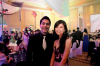
I have done this but having connection issues when trying to upload it as it is the full resolution picture it is nearly 10 mB ands using a cell phone connection to upload. been 22 mins so far if I cant upload it I will have to do it when I get back home in a couple of hours

dv8_fx
Retired Administrator
- Messages
- 12,219
- Likes
- 3,713
it is where you had your prom dv8 lol
Not from my Senior Prom. lol....
I just can't put my finger on it.

Hoogle
Guru
- Messages
- 7,940
- Likes
- 2,488
the basics of it is a hue saturation adjustment layer set the channel to cyan and desaturate
create a new layer sample skin colour from her arm and paint over the desaturated parts of her skin and set that layer blending mode to colour
add another hue saturation adjustment layer but this time create a clipping mask with it to the layer where you have just painted the skin tweak the sliders to get the skin looking how you like it
and that was just done for each colour red for lips pink for dress and some chairs
another skin layer for some of the background people
andthen a levels adjustment if i| remember correctly
create a new layer sample skin colour from her arm and paint over the desaturated parts of her skin and set that layer blending mode to colour
add another hue saturation adjustment layer but this time create a clipping mask with it to the layer where you have just painted the skin tweak the sliders to get the skin looking how you like it
and that was just done for each colour red for lips pink for dress and some chairs
another skin layer for some of the background people
andthen a levels adjustment if i| remember correctly