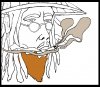
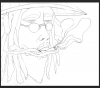
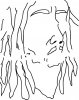
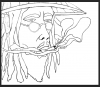
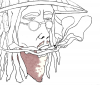
Here is a very simple method for isolating black lines; I've used
this tutorial a few times and do it slightly differently but the result is the same.
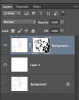
Once you have your png, you can make a white layer for contrast/viewability underneath.
I agree that the pen tool is the best way to make the shapes, in most cases, but if you don't feel competent to use it at this point, you can isolate areas between the lines with the magic wand at a low tolerance. You'll have to zoom in and see if you need cleanup after filling the space, but for areas like this the wand is fine. Oddly enough, I "never" use the magic wand anymore, but it works in this instance because the areas are flat single color (that white BG layer). Don't bother to do much cleanup till you have all your segments selected since one may cover up spillover from the layer beneath.
Be sure you put each color segment on its own layer. If you want to go back into that area and do something different with texture, color, etc., you only need to cmd/ctl click the thumbnail of that layer to activate the selection. (sorry if you already know that; I don't mean to talk down to you, but I don't know your PS level)
Anyway, just one more method to consider. I like to try different techniques to see which one fits me the best.
BTW, that is a very cool drawing. You have some talent there smidders!