What's new
Photoshop Gurus Forum

Welcome to Photoshop Gurus forum. Register a free account today to become a member! It's completely free. Once signed in, you'll enjoy an ad-free experience and be able to participate on this site by adding your own topics and posts, as well as connect with other members through your own private inbox!

how can i make an album more stanning?


nikiforos

Member
Messages
7
Likes
1
hello everybody,
i am a photographer in greece quite new in the area and ihave started to create albums
my problem is tha the pictures seem to be 'flat' and not glamorous at all..
i feel that something is missing .are there any filters that could help me upgrade the picture??
 
hello everybody,
i am a photographer in greece quite new in the area and ihave started to create albums
my problem is tha the pictures seem to be 'flat' and not glamorous at all..
i feel that something is missing .are there any filters that could help me upgrade the picture??

Hi, it would be better to see, but it could be you need more contrast and, if in Camera raw, more Blacks
 
Hello Nikiforos. Welcome to PSG.

It would help as peta said to see some of the images you are having problems with.

What kind of albums are they? Family & friend pictures? Shots for clients? Knowing that might help to advise you on how to "spice them up." Just remember, the largest part of the work should be done in the camera. Definitely, given your problems, open them up in Camera Raw and go through the basic and detail steps.

In Photoshop, go to File>Browse in Bridge. Find the file you want to work with, highlight it, then choose the icon second from the right, hover and it says open in camera raw. Once opened, you will see a histogram at the top right. Underneath is a line of icons. The first from the left is basic and the third is detail. Also, on either side of the histogram you will see triangles which are dark and light clipping warnings. Click these and when you play with brightening, if you go too far, or if there are too many highlights to begin with, you can change exposure or use the recovery slider, etc., and watch the red go away; likewise for shadows which turn blue when all detail is lost.

I can't give you any more guidance with camera raw unless it is a specific question; there's too much to explain in a couple paragraphs. It's not complicated but it helps to get a guided tour through it or at least learn what each of the features are.

So, give us a bit more to work with and we'll give you the best advice we've got.

 
hello again and thank you for your interest..
i am a wedding photographer and i normally use on my photos camera raw and photoshop..recently i have started to use also nick software in order to find some filter or a compination of filters that could help me upgrade my photos..
you can see an album i have made using a filter on the link
http://www.nikiforosphotography.gr/albums/01/index.php
but i feel that again something is missing ..i want to make the picture more glamorous.
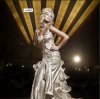
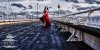
what i would like to do is samething like those 2 images
do you have any idea?


qq.jpg550533_10150968907169437_1734653753_n.jpg
 
You have a good eye nikiforos. A couple framing issues, but I see most of the odd frames are intentional and work quite well. I like your work. I don't think they need much more but I understand why you would like to add effects to some of them -- hopefully not all.

Some of the correction you want can probably be done in the camera with filters and settings. But that is outside my expertise.

So, I think you want more drama. Heightened color and light. You might try HDR toning and see if it gets you any results that you want. But, before you go to that, I think you should get your contrast, levels, curves, whatever you use, adjusted so that the photos have a bit more life. I imagine playing around with a screen shot as I did wasn't very true to the photo though.

In the picture with the blue clouds, there seems to be selective shifts made to the color balance so that the blue hue is accentuated. But that is only one of the techniques used for this effect.

Well, I'm sure you'll get some more ideas and if you don't mind someone messing with your photographs, upload one for us to play around.

I was thinking that an interesting effect to try in the picture of the groom leaning against the wall, might be to blur the background and desaturate it but leave him unchanged. Just an idea.
 
Last edited:

Back
Top