mr.glassy
Member
- Messages
- 20
- Likes
- 2
Welcome to Photoshop Gurus forum. Register a free account today to become a member! It's completely free. Once signed in, you'll enjoy an ad-free experience and be able to participate on this site by adding your own topics and posts, as well as connect with other members through your own private inbox!
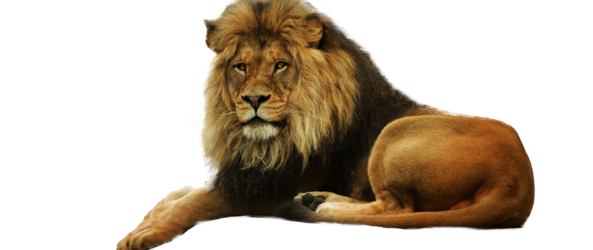
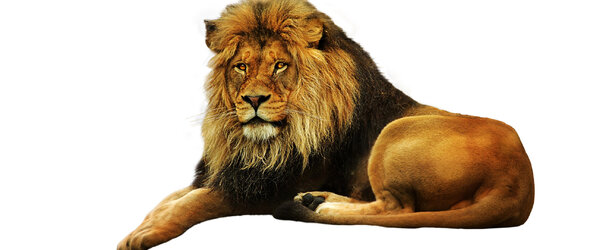
yeah it is much better than mine. Did you use any modify stuff like feather or smooth or sth?This result is obtained by using Select & Mask (also called as Refine Edge in previous versions of PS). I tried Object Selection Tool and Select Subject Tool, but the results were less better and too sharp.
View attachment 138433
For this selection, I set Smooth, Feather and Contrast settings to 0. Most of the fur bit selection was handled by the Refine Edge Brush Tool.Did you use any modify stuff like feather or smooth or sth?
thanks a world!For this selection, I set Smooth, Feather and Contrast settings to 0. Most of the fur bit selection was handled by the Refine Edge Brush Tool.
It is indeed a difficult selection owing to the fur and the relatively low contrast where the fur interacts with the background.
One other option is to use hair/fur brushes and create artificial hair while repeatedly sampling colour from the pic at frequent points and try to make it look as realistic as possible.