
What's new
Photoshop Gurus Forum

Welcome to Photoshop Gurus forum. Register a free account today to become a member! It's completely free. Once signed in, you'll enjoy an ad-free experience and be able to participate on this site by adding your own topics and posts, as well as connect with other members through your own private inbox!

How Do I get Layers Next To Channels & Paths?


AyeJay

Active Member
Messages
29
Likes
0
I am currently using Adobe Photoshop CS5 and is very new to this. Sorry for being an idiot I know this might be very easy to solve but my question is how do I get layers to appear next to channel and path on the bottom right corner? I've watched many youtube videos and everyone has layers next to their channel/path how come I don't? Any help will mean so much to me...

Look on the bottom right corner it only says Channel and Path.
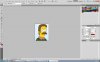
Snap7.jpg
 
At the top right of the screen set layout to essentials instead of design.

if that does not work reset the essentials layout
 

Back
Top