Hello
I am aware of the commercial programs/plug-ins that convert your photos into "paintings".
However, these products produce pretty severe effects that tend to create a very cliched look.
I was hoping someone could explain to me how to produce a more subtle "oil painting" effect for my photographs.
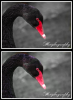
I have attached two images that more-or-less shows what i am looking for.
Thanks in advance for your help.
I am aware of the commercial programs/plug-ins that convert your photos into "paintings".
However, these products produce pretty severe effects that tend to create a very cliched look.
I was hoping someone could explain to me how to produce a more subtle "oil painting" effect for my photographs.
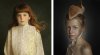
I have attached two images that more-or-less shows what i am looking for.
Thanks in advance for your help.