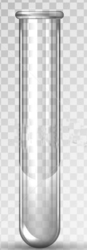
I would appreciate all help . I have a project and I am dealing with alot of small plastic boxes . The boxes are " clear " or somewhat clear. I have to get the ' boxes ' to be transparent enough to pick up the background as if it were actually shot on that particular background and it needs to be in png format. How do I get the actual image to be ' transparent ' to pick up the back ground without loosing quality of the image. I have no issues making the background the image is on transparent and I have the ' checkerboard ' but I cant seem to make the actual image transparent to be used. I also save for web as png 24. I hope I am making sense and thank you in advance.
Photoshop Gurus Forum
Welcome to Photoshop Gurus forum. Register a free account today to become a member! It's completely free. Once signed in, you'll enjoy an ad-free experience and be able to participate on this site by adding your own topics and posts, as well as connect with other members through your own private inbox!
How to make an object translucent in png format
- Thread starter rachelp61
- Start date