What's new
Photoshop Gurus Forum

Welcome to Photoshop Gurus forum. Register a free account today to become a member! It's completely free. Once signed in, you'll enjoy an ad-free experience and be able to participate on this site by adding your own topics and posts, as well as connect with other members through your own private inbox!

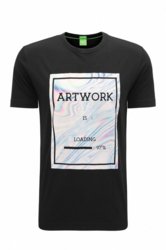
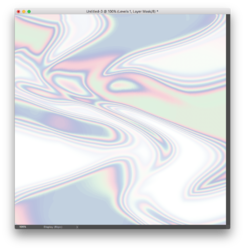
How to recreate this effect


It's not 100% same effect, just idea you may want to dig deeper:

1. Create file with white background
2. Grab Gradient tool and set it like here:
Zrzut ekranu 2018-09-11 o 14.58.15.png
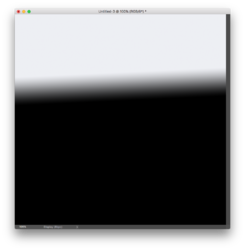
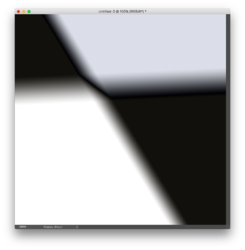
3. now just experiment and drag in different directions

Zrzut ekranu 2018-09-11 o 14.58.45.pngZrzut ekranu 2018-09-11 o 14.58.49.png
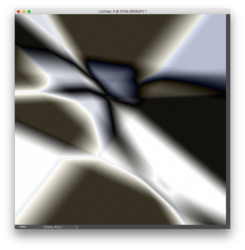
until you will get something like this:

Zrzut ekranu 2018-09-11 o 14.58.55.png
4. Desaturate the image Image > Adjustments > Desaturate (Cmd(or Ctrl) + Shift + U )
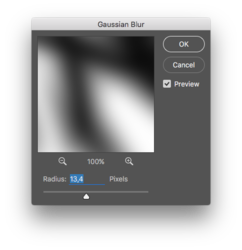
5. Blur it
Zrzut ekranu 2018-09-11 o 14.59.08.png
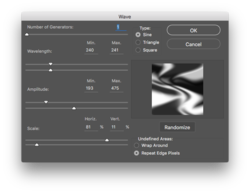
6. Add some motion with Filter > Displace > Wave
Zrzut ekranu 2018-09-11 o 14.59.32.png
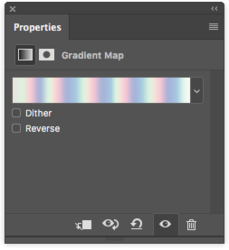
7. Add new Gradient Map in the layers panel and pick the gradient from attachment of this post:
Zrzut ekranu 2018-09-11 o 15.00.07.png
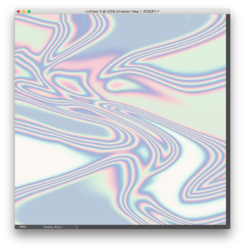
8. For now it should look more ore less like this:
Zrzut ekranu 2018-09-11 o 15.00.12.png
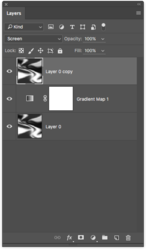
9. Duplicate bottom layer and put it at the top of layers stack with blend mode set to screen
Zrzut ekranu 2018-09-11 o 15.00.31.png

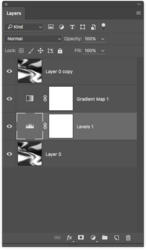
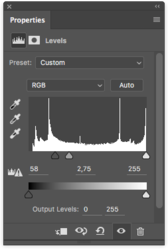
10. Create levels adjustment layer below gradient map adjustment
Zrzut ekranu 2018-09-11 o 15.01.03.pngZrzut ekranu 2018-09-11 o 15.01.05.png
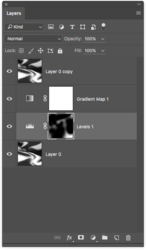
11. Mask using brush tool with black color
Zrzut ekranu 2018-09-11 o 15.01.30.png
12. Final result is something like this:
Zrzut ekranu 2018-09-11 o 15.01.31.png
 

Attachments


Back
Top