What's new
Photoshop Gurus Forum

Welcome to Photoshop Gurus forum. Register a free account today to become a member! It's completely free. Once signed in, you'll enjoy an ad-free experience and be able to participate on this site by adding your own topics and posts, as well as connect with other members through your own private inbox!

Post Processing I'm having a problem printing with Cannon PRO.


Laurel_B

Member
Messages
14
Likes
0
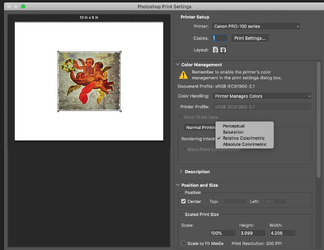
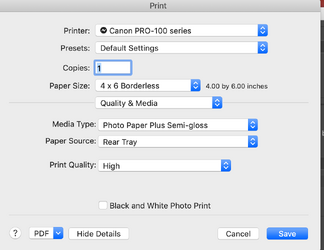
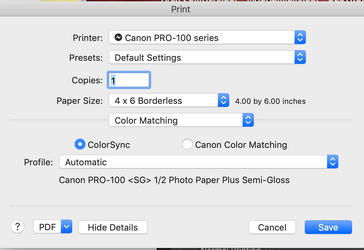
I am trying to print a photo with a CMYK profile on my canon pixma photo printer. The photo in the preview is very much in color but it prints in grayscale, or what looks like grayscale. I tried cleaning and aligning the printer heads, checked the ink levels and that all seems ok so it must be setting in the Photoshop app that's causing it. It's driving me crazy that I can't figure this out. I tried this with two different photos and had the same outcome. Hope someone can help!

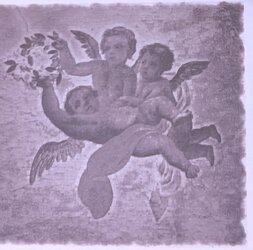
AngelsinMontepulciano-reduced.jpg

IMG_6150.jpg

Screen Shot 2025-12-09 at 6.34.37 PM.png

Screen Shot 2025-12-09 at 7.11.48 PM.png

Screen Shot 2025-12-09 at 7.12.02 PM.png
 
the closest my wife and i came to divorce was over getting a canon printer to even vaguely match the colour of her paintings. finally had prints made online (snapfish, i think), who would reprint for free if not matching.
 
the closest my wife and i came to divorce was over getting a canon printer to even vaguely match the colour of her paintings. finally had prints made online (snapfish, i think), who would reprint for free if not matching.
Oh that's funny. I have had it for years, printed successfully before. This is driving me nuts. It's a bit late for Snapfish at this point, I might have to buy some cards, after spending a fortune on blank cards, photo corners, ink, etc.
 
In PS ... sure you didn't choose Grayscale instead of CMYK ?

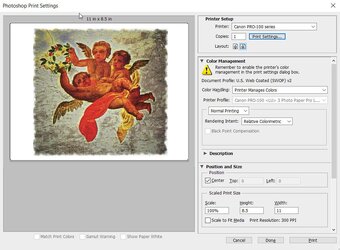
Printed one in CMYK and one in RGB .... came out approx the same ... RGB a little brighter ... but very close to your original image.

You will have trouble making that image fit to 4 x 6 though.

cmyk.jpg
 
Last edited:
Thanks. That's the one ting I didn't try - printing it as an RGB. The size of the photo is 4.20 x 4.00. I printed it on an 8 x 10 piece of plain paper to save the photo paper for successful prints.
 

Back
Top