What's new
Photoshop Gurus Forum

Welcome to Photoshop Gurus forum. Register a free account today to become a member! It's completely free. Once signed in, you'll enjoy an ad-free experience and be able to participate on this site by adding your own topics and posts, as well as connect with other members through your own private inbox!

Improving quality of a text (very URGENT case)


Codname47

New Member
Messages
1
Likes
0
Hi,

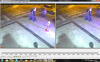
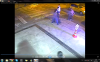
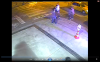
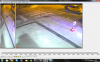
I have 5 images in png format and I need to take license plate of a taxi from them. I tried a few techniques but couldn't improve the quality enough. The images are on the attachment and license plate is written on front door of the taxi. Any help will greatly appreciated.

Regards
 

Attachments

  • 5.png
    5.png
    1.3 MB · Views: 11
  • 4.png
    4.png
    963.7 KB · Views: 2
  • 3.png
    3.png
    1.1 MB · Views: 3
  • 2.png
    2.png
    896.3 KB · Views: 0
  • 1.png
    1.png
    1 MB · Views: 0
That's all blurred out. it's not only the distance but poor quality of surveillance picture. You're be better off contacting the cab company talking with them. asking who was on duty in that area, time, and night.
 
Actually, I see you are using windows media player.
Sometimes the codec is not the best choice for a specific file type and can display poorer quality.
I suggest downloading a codec, Tinkering with the settings a-bit mate.
It can display in a higher format depending on that.
Along with some other factors.
It may clear up the image a bit more.
But, I highly doubt it will clear it up that much.
I suggest sending it to csi! Where they zoom in and magically increase the resolution of the picture!
But, we are not magicians!
 

Back
Top