What's new
Photoshop Gurus Forum

Welcome to Photoshop Gurus forum. Register a free account today to become a member! It's completely free. Once signed in, you'll enjoy an ad-free experience and be able to participate on this site by adding your own topics and posts, as well as connect with other members through your own private inbox!

L, a, b average values for a photo region


Tudorel Florea

New Member
Messages
4
Likes
0
Hello! As the title points out I need to find an average of the L, a, b values from a region of a photo. I can find out the values for a single pixel but these values vary to some degree in the region I am interested in. If this can not be done in photoshop but in an other program i'd be thankful if you could show me how.
 
There are at least two ways you can do this.

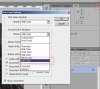
1. Go to the info palette and click on the options menu in the upper RH corner. When that opens, select LAB as the choice for either the 1st or 2nd color readout. The area it will average is determined by the size setting of the Eyedropper tool. You can adjust this to go from a single pixel, all the way up to 101x101 pixel areas.

2. If the rectangular region read out by method #1 is too limiting (say, you need some oddly shaped area), just make a selection of the area of interest. Then apply filter / blur / average to that area, then use the eyedropper tool (set to LAB readout) to sample anywhere in that area.

HTH,

Tom M
 

Attachments

  • 2013-04-30_193236-info_panel.jpg
    2013-04-30_193236-info_panel.jpg
    165.3 KB · Views: 26
I'm really glad it worked.

I'm curious. I rarely have to get the color coordinates of such a large area. If it's possible to discuss publicly, may I ask what you doing with the info?

Best regards,

Tom
 
Glad you asked. I am working on a research project where I'm taking HQ photos of a food product at specific periods of time and I need to show how the color changes in time due to alteration.
 
It was an unusual enough request that I actually suspected you were asking for some scientific or quality-control application, hence my question. It turns out that I am currently overseeing a couple of projects analogous to this.

I'm sure you already know the following and I'm preaching to the choir, but be very careful to isolate the sample from even minute variations in the illumination. For example, ambient light can change over the time scale of minutes to hours because of small light leaks through even distant windows. There can be significant variations in both the color and intensity of light from fluorescent lamps that occur at the power mains frequency, ie, at 60 times per second, so you take two photographs in rapid succession, and if you don't do it correctly, the color and brightness will be significantly different between the two.

Personally, I would include a MacBeth color chart or some other color reference in every image you take and thereby be able to compensate for any variations in lighting you haven't planned for.

Also, you may want to consider using software designed for scientific / engineering use instead of using Photoshop, which is designed primarily for photographers, artists, designers, etc. You should consider the Image Processing Toolbox for Matlab, as well as ImageJ from NIH. I think you will find the numerical abilities of these programs vastly better than PS.

Another thought, you may want to consider using HSB or HSL coordinates instead of Lab. The first two may be easier to interpret in terms of underlying physical processes. As a simple example, say you are looking at the color of orange juice and you may be presented with samples of different concentrations, but which are otherwise identical. Using Lab coordinates, all three coordinates may vary from sample to sample, whereas with HSB, the hue will not change and it will be immediately obvious that the changes are due to unimportant concentration variations, not some process like oxidation.

Along the same lines, hue is only the ultimate simplification of the actual spectrum of the material. The latter is always the method of choice for chemical analysis. If your project has enough funds to allow you to take spectra, you will get much more information. "Taking spectra" could involve sending samples out, renting a spectrometer for the duration of the project, or even purchasing an inexpensive spectrometer. If you are mechanically inclined, one can even make up a simple filter-wheel spectrometer without too much difficulty.

The best of luck with your project.

Cheers,

Tom M

 
Indeed I am conscious that the method I use is not the most precise nor the most developed at this time so I am taking care that I don't end up with errors at the end of the day, to be more precise it's an alternative method of a larger project that by the way includes spectrophotometric analysis of the same samples. So it's rather a pilot method to compare results.

Regarding the HSL/HSB coordinates I' thinking you're right since now I realise that Lab is a bit tricky to interpret but I'll need to dig up more information on that to see how it works.

As for the programs you mentioned they look like a tempting alternative but the require a lot of resources (time, money being the most important) for a sophomore to lean the to the extent of obtaining high standard results.

I thank you again for helping me with this!
 
Gentlemen,
I am amazed with your knowledge of the subject.:thumbsup: Beyond my comprehension.
 
Hi Tudoral - I didn't realize you were a sophomore. To be honest, I thought you were probably a grad student (... which is a huge compliment).

I'm glad to see you are aware of many of these issues. However, I would reiterate my suggestion to include a MacBeth color chart as a standard in every image you take. You may feel that it's extra work or unnecessary, but I can essentially guarantee you that it will prevent major problems in the analysis.

WRT the choice of software, I understand your reticence to switch to Matlab or ImageJ. Since you are going to stay with PS, then I suggest you use an old plugin called HSBHSL.8bf which will separate out the H, S, and B (or L) channels with one button-push. You can download it from Adobe here: http://www.adobe.com/support/downloads/detail.jsp?ftpID=4688 (Win)&PID=3350462.

Again, the best of luck with your project.

Cheers,

Tom M
 

Back
Top