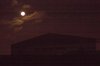
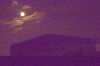
I had about twenty seconds to take this picture last night but only to notice it is rather dark due to the limited lighting in that area. I have tried various settings in Lightroom to brighten it up enough to see the moon and the building in the foreground but the pictures just come out to grainy and a slight purple look. Does anyone have any ideas on what i can do for this?
Photoshop Gurus Forum
Welcome to Photoshop Gurus forum. Register a free account today to become a member! It's completely free. Once signed in, you'll enjoy an ad-free experience and be able to participate on this site by adding your own topics and posts, as well as connect with other members through your own private inbox!
Lightening up
- Thread starter rassilon
- Start date