Welcome to Photoshop Gurus forum. Register a free account today to become a member! It's completely free. Once signed in, you'll enjoy an ad-free experience and be able to participate on this site by adding your own topics and posts, as well as connect with other members through your own private inbox!


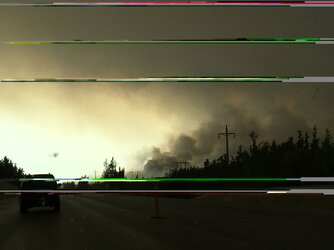
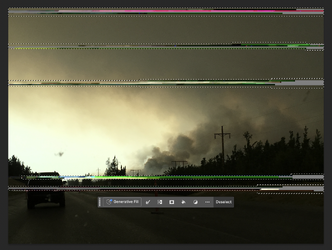
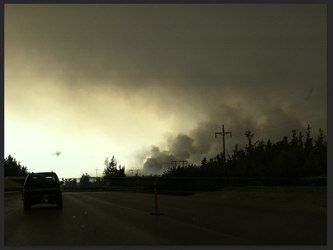
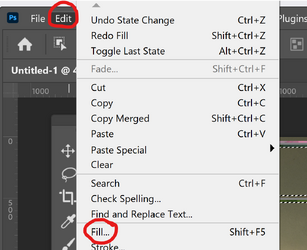
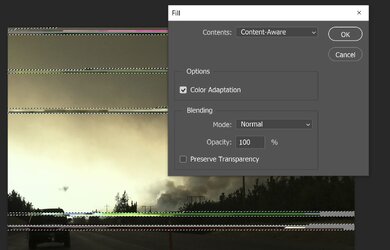
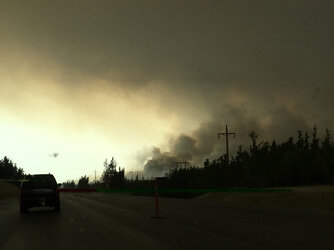
thank youAs John (@thebestcpu ) said, Photoshop often offers many different ways to do an edit. I played with Edit - Fill - Content Aware. Sometimes you have to try different approaches depending on the image and what you're trying to accomplish/save. For this one, to keep the details at the bottom of the image intact, you need a fairly tight selection althugh too tight can defeat the purpose and too loose can overtake the image. Photoshop is a great playground - enjoy it!
View attachment 154070
View attachment 154071
View attachment 154072
thank youAs John (@thebestcpu ) said, Photoshop often offers many different ways to do an edit. I played with Edit - Fill - Content Aware. Sometimes you have to try different approaches depending on the image and what you're trying to accomplish/save. For this one, to keep the details at the bottom of the image intact, you need a fairly tight selection althugh too tight can defeat the purpose and too loose can overtake the image. Photoshop is a great playground - enjoy it!
View attachment 154070
View attachment 154071
View attachment 154072
Youre very welcome!thank you