What's new
Photoshop Gurus Forum

Welcome to Photoshop Gurus forum. Register a free account today to become a member! It's completely free. Once signed in, you'll enjoy an ad-free experience and be able to participate on this site by adding your own topics and posts, as well as connect with other members through your own private inbox!

little bit of help needed retouching an old family manufactured car


egosbar

Guru
Messages
752
Likes
345
hi all

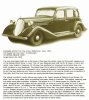
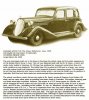
in 1935 my great grandfather manufactured i think 13 of these cars but couldnt compete with ford and the european cars

my project now is to restore this car to color and add the print , heading and probably suttle photos of my dad , grandfather , great grandfather and myself , id love this to be blown up to 10 x 15 odd size if possible

being so new at photoshop ive never had a crack at restoring so any advice here would be awesome
please dont post any photos as id love to do this one myself , but id welcome any ideas on composition

if also looked hard on the internet but cant find anything else so any advice on tracking down more info on this would also be very much appreciated

the link is too a newspaper clipping that i need to fix the text in so advice here also would be welcomed
http://trove.nla.gov.au/ndp/del/article/12247538
ok so now to the good stuff where do i start
 

Attachments

  • 1936_Egan_Six_Saloon.jpg
    1936_Egan_Six_Saloon.jpg
    76.7 KB · Views: 44
Here's a tutorial that might help you egosbar.

http://www.republicofcode.com/tutorials/photoshop/change_color/

We did this for one of Paul's auto challenges a year or so ago. It is a lot of fun. Try it. I'll see if I can dig up the examples I have.

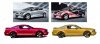
To give you an idea, here are a couple, original on the left.

AUTOcolor.jpg

Here is the tutorial I followed to make the first alteration with the "ads" on the car.

http://42concepts.com/design/car-advertisement-samples/

This one is my favorite and has some cool techniques, but very simple.
 
Last edited:
There's always a next time! Or you can suggest it to a winner. It is a good challenge idea because you not only recolor the car, but put it in a unique setting or some kind of creative manipulation. You have other photos you are wanting to edit? Or is it mainly the car that is what you need the help in fixing. Your first step reducing noise was a good one.
 
Just a real quick one ergo the wheel arches and under shadow, but you get the idea.
1936_Egan_Six_Saloon-originLmk2.jpg
 
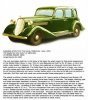
still a lot of tidying up to do but happy with the color i think , but im looking to make the windows more realistic any ideas here
 

Attachments

  • egan 6 car 2.jpg
    egan 6 car 2.jpg
    1,012.9 KB · Views: 3
yes id like to incorporate the story , especially the story from the newspaper link , im not sure how to copy this from the web as it wont fit on a screen dump , or how id make it readable , im also after a 1935 font for the title THE EGAN 6

1935 geelong victoria australia this was manufactured so possibly a scene from then

ideas are welcome id like to do this for my old man , he got me into photoshop
 
You do realize that if you make the windows transparent, which may not be your goal, you'll have to reconstruct parts of the car . . . If I had to do this, I would search making realistic reflections in glass or something. Just making some light bounce off the windows without making them transparent should help. Unfortunately, I can't help with that. A search on the forum or google may give you some answers, or a member - who wants to actually stick to the topic, heh heh - might have some advice. So hang in there.


@iDad: Have you checked to see if your baby is still in the garage? LOL.
 
Here's a tutorial using blend modes to accomplish reflections. It requires that you pick an image to reflect.
http://www.devwebpro.com/photoshop-technique-create-a-realistic-glass-reflection/

Here are a number of related video tuts on the subject:
http://tag.wonderhowto.com/glass-reflection-photoshop/

Here egosbar, this one might be the most applicable to tweak as it is a simulated reflection that mainly makes a lighting effect and not transparency:
http://tutorial-zee.com/photoshop-tutorials/photoshop-shower-glass-door-tutorial-in-photoshop

When I get home later, I think I'll work on this with you! By then you may have gotten some simple advice from our illustrious gurus. :mrgreen:
 
yup all zipped up nice and tight ........ lol (Paul you're such a.........)
 
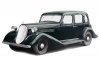
So why not shop an interior behind the windows. You just need the windows on something close....another car make, the interiors will look almost the same and usually the dashboard is the biggest visual difference


SJ12_r168_01.jpg
 
Last edited:

Back
Top