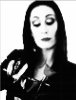
Operations like this are done all the time in scientific, scientific graphing, and image processing applications such as Matlab, Mathematica, Origin, etc. If you happen to be familiar with any of these applications (or anything similar), this is almost certainly the most straightforward way to proceed.
In Matlab (or the open source clone of Matlab, "Octave"), the function to call is:
http://www.mathworks.com/help/matlab/ref/colormap.html
Obviously, you don't want colors -- you want a B&W palette. One of Matlab's standard palettes is "gray". However, eyeballing your image, it obviously has very different numbers of pixels in each of the gray levels, so, to get it to look really good, you probably would prefer a custom B&W palette. A nice description of how to optimize such plots for data with poor histogram equalization is here:
http://cresspahl.blogspot.com/2012/03/expanded-control-of-octaves-colormap.html
(scroll about half way down the page).
Note that many scientific plots want smooth gradations in color (or B&W tone) as the plotted function varies. In contrast, you want steps. This is also quite common, and is NBD to do in any of the above programs.
You also requested that the different tonal levels be placed on different layers. Again, this is easy in any of these programs-- just make a loop which marches through the different tonal ranges and produces a separate plot for each range, and then import them as different layers in a PS file.
I'm not sure of the context of your request. If you are going to be processing lots of images this way, one of the scientific apps is absolutely, without a doubt, the best way to proceed. OTOH, if this is a one-time deal, eg, for an artistic project or for a homework assignment in a PS class, obviously, you probably either can't use the above software, or don't want to bother learning it. In a case where you are absolutely constrained to work within Photoshop, I would suggest you make up 10 gradient maps (with contiguous boundaries), and place the output of each gradient map on a separate layer. I can also think of several other ways to do it within PS, but the gradient map method is probably the most flexible.
HTH,
Tom