Fordman460
Member
- Messages
- 7
- Likes
- 2
Welcome to Photoshop Gurus forum. Register a free account today to become a member! It's completely free. Once signed in, you'll enjoy an ad-free experience and be able to participate on this site by adding your own topics and posts, as well as connect with other members through your own private inbox!
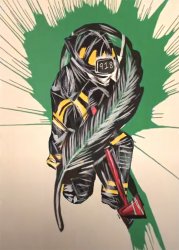
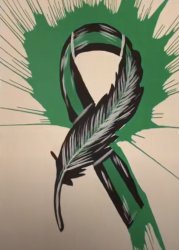
Now that you mention it losing the splashes may be a good idea.Do you want to keep or lose the green splash behind the feather?
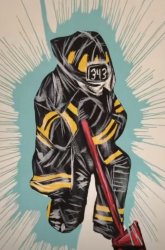
Do you want to keep or lose the blue splash behind the firefighter?
- Jeff
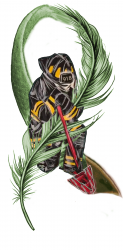
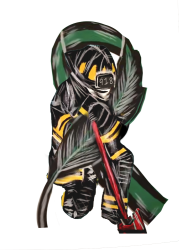
Perhaps raise the ribbon just a bit so it almost looks like the ribbon is hugging the firefighter? Please? Thank you for helping me out.This is a very rough and quick edit - is this what you're looking for? I can clean it up later...
- Jeff
View attachment 116663
That’s awesome! Thank you!!My apologies for delay - election fever has taken over.
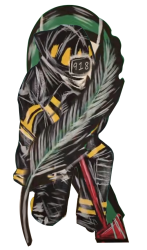
Here's another edit - removed the splash background and lowered the firefighter.
Saved it as a png so you can place on any background.
Let me know if there is anything else you need - glad to help!
- Jeff
View attachment 116679
Certainly - let us know what you need!I’m gonna run this past the GF because she’s the firefighter, so if it isn’t too much to ask there may be a little more editing. She has a much better eye for this kind of stuff than I do.![]()
Jeffk did such a great job, so i wanted to share a different version of your tatooI’d like to have two images blended to create my next tattoo. I’d like the green ribbon to appear to be holding the firefighter; as in the feather portion is hugging the firefighter and change the helmet number to 918 please. Thank you for your time.
View attachment 116652 too
View attachment 116653