Photoshop Gurus Forum
Welcome to Photoshop Gurus forum. Register a free account today to become a member! It's completely free. Once signed in, you'll enjoy an ad-free experience and be able to participate on this site by adding your own topics and posts, as well as connect with other members through your own private inbox!
You are using an out of date browser. It may not display this or other websites correctly.
You should upgrade or use an alternative browser.
You should upgrade or use an alternative browser.
Need help with replacing colors
- Thread starter Roomka
- Start date



Stric9
Power User
- Messages
- 431
- Likes
- 191
No I used the red channel to make a selection.
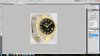
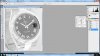
1. Go to channels and duplicate the red channel.
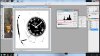
2. Now use levels on the channel like this
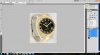
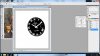
3. Using your brush tool paint out with white the remaing area that you don't want effected.
4. Invert the Channel
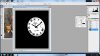
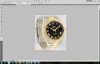
5. Control click the new channel and enable the rgb channel. Notice the marching ants to highlight the selection of just the black face.
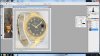
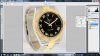
6. New Layer Via Copy
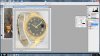
7. Levels adjustment on the new layer. Taylor this step to your liking.
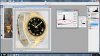
1. Go to channels and duplicate the red channel.
2. Now use levels on the channel like this
3. Using your brush tool paint out with white the remaing area that you don't want effected.
4. Invert the Channel
5. Control click the new channel and enable the rgb channel. Notice the marching ants to highlight the selection of just the black face.
6. New Layer Via Copy
7. Levels adjustment on the new layer. Taylor this step to your liking.