What's new
Photoshop Gurus Forum

Welcome to Photoshop Gurus forum. Register a free account today to become a member! It's completely free. Once signed in, you'll enjoy an ad-free experience and be able to participate on this site by adding your own topics and posts, as well as connect with other members through your own private inbox!

Nothing will work


knuckleupz

Member
Messages
5
Likes
0
So I just bought my copy of Photoshop. I had been using the trial for the last month. (by the way this is my first semester in school and I have never used Photoshop before. Yes I am that ignorarit to Photoshop.) I am trying to follow tutorial for school working in channels. I open a new background, grab my brush tool, set my pixel size, click on my canvas..... NOTHING HAPPENS!!!!

Can someone please tell me how to fix this because I cant even do my assignment.

Thanks a Ton

Greg

P.S. The background is unlocked.
 
So I just bought my copy of Photoshop. I had been using the trial for the last month. (by the way this is my first semester in school and I have never used Photoshop before. Yes I am that ignorarit to Photoshop.) I am trying to follow tutorial for school working in channels. I open a new background, grab my brush tool, set my pixel size, click on my canvas..... NOTHING HAPPENS!!!!

Can someone please tell me how to fix this because I cant even do my assignment.

Thanks a Ton

Greg

P.S. The background is unlocked.

What is it you are trying to do? :)
 
We are working in channels and he is showing me how RGB works I open a blank canvas turn my brush red and just make a big red circle with my brush thats all but it wont even let me do that
 
We are working in channels and he is showing me how RGB works I open a blank canvas turn my brush red and just make a big red circle with my brush thats all but it wont even let me do that

That sounds strange... try adding a new layer and see if you can paint on that..
 
Make fullscreen screenshot with tool, layer and chanell panel open and then post it here. We'll have a look at it.
 
Make fullscreen screenshot with tool, layer and chanell panel open and then post it here. We'll have a look at it.

So I am new to a mac. Cn you tell me how to take a screen shot I know how on a pc but not a mac. Yes my fore ground is set to red background to black I have tried making a new layer made sure background was unlocked all that I', lost I could post a copy of the video but I am sure academy of art wouldn't like that lol sorry.
 
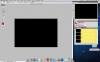
Ok so this first screen shot is with my chanels tab open Screen Shot 2011-10-07 at 1.09.54 PM.png

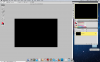
This next one is with the layers channel open. Screen Shot 2011-10-07 at 1.10.22 PM.png
All I want to do is paing with my brush and it wont let me.
Please remember I have tried it with the background unlocked it is not working in either way
 
Linear Burn is one of Blending Mode. Ussually it been asociates with layers but it is option for brush tool too.
Don't know what linear burn really do. I mean i use it but what exactly it do...of course, i can google for it and pretend that i know it :)
Logicly thinked i can say that it burns color some way. So black can't get darker and that's why red brush looks like didn't do nothing.

Almost same with flow. I use it very rare. For me opacity is enought. I aware that there is some diference between them but never care too much to get know it. Here easy tutorial for opacity/flow -
(i watched it and now i know and still don't see practical flow usage for me)
 

Back
Top