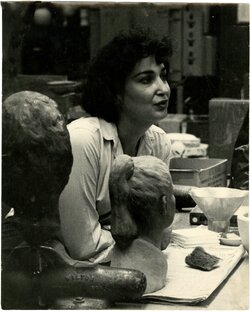
I'm not a professional Photoshp user so I'm certainly not the last word on this. But glad to give you even my limitd impressions of yur images.
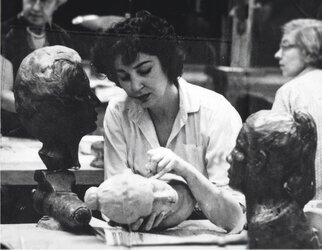
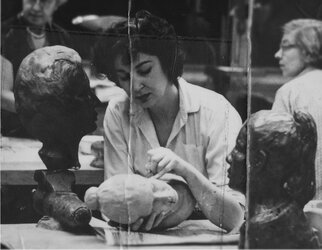
First, I'm ot sure hwat you meant by "cleanup". These also certainly aren't "messed up". They look to be good candidates for careful editing. Did y9u scan the from original hard copies? What resolution did you scan at? I noticed that these images are quite noisy/grainy You an clean this up a bit using Photoshop Denoise or, if you have them, Topaz Photo AI or Topaz Denoise. For missing bits and pieces,you can use Content Aware fill for larger areas, Healing Brush Tool, or Spot Healing on smaller areas. You can also try some careful cloning.
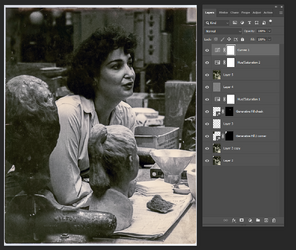
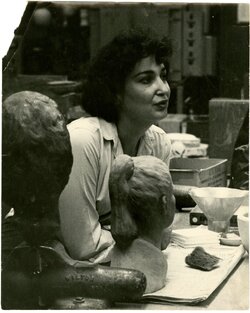
- On the image below, I used Topaz Photo AI for noise suppression and then used Generative Fill to reduce the harsh highlight underneath her eye.
- Next, I filled in the missing upper eft corner with Generative fill...you can also use Content Aware Fill to do the same.
Also added a bit more sharpness by combining all layers ((Ctrl+Alt+Shift+E), then dupliating that layer (Ctrl+J), adding a high pass filter to that duplicated layer ((Filter>Other>High Pass) and thn changed the blend mode to Overlay.
- Then, better late than never, combined all layers again and ran it thru Camera Raw to open the shadows/blacks. Then added another Hue/Saturatioin Layer and also a slight curves adjustment to open up the image further.
It's a beginning...