What's new
Photoshop Gurus Forum

Welcome to Photoshop Gurus forum. Register a free account today to become a member! It's completely free. Once signed in, you'll enjoy an ad-free experience and be able to participate on this site by adding your own topics and posts, as well as connect with other members through your own private inbox!

photoshop curve?


joiedevivre

New Member
Messages
1
Likes
0
hello everyone, I am a total noob here. I'm going to apologize first if this post offends anyone.

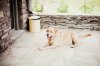
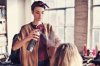
I have been following a fashion blog and noticed that a lot of the photos have this look that is almost film-like (again, sorry to film shooters if this offends you). I can't quite put my finger on it, but I have a feeling it's curve adjustment. There is a soft/smooth light effect. I'm trying really hard to achieve this look but to no avail. If anyone has any idea, please inch me towards the right direction.
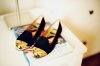


tumblr_m1zix6tdhm1qzh9d2o1_500.jpg
IMG_6675.jpg
IMG_6699.jpg
IMG_54141.jpg
IMG_6691.jpg
110825_13.jpg
IMG_9856.jpg
IMG_6589.jpg


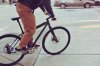
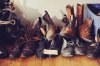
I also have trouble figuring out the effects used in these set of pictures, they look quite a bit vintage no?

1.jpg
23.jpg
2.jpg
24.jpg
40.jpg
25.jpg
30.jpg
 
i think it has more to do with how they are shot (lighting)
in the top one it look like its shot with multiple key light but offset i little you can see that in the shadow.

and the bottom images was 1 direct light with bounce/fill lights to light where the direct light doesnt reach.
you can also see that from the shadows.
im not a pro so its just a guess and i could be totally worng
 
you can get al sorts of cinematic look filters look up Red Giant magic bullet looks for photoshop.

However most of these are standard lightroom presets.

Of course the initial photo taken helps a lot with good lighting.
 
For most of the shots you posted above the shadows or the darks are pushed towards red and has slightly desaturated highs + high contrast. Pushing the darks towards red itself will get you a long way.
 
First of all, it's taken with a good camera, and it's taken with a restricted focus, I don't know the english term for these photography things, but when you (often manually) make the focus very narrow, so that both much in the foreground and the background gets very blurry.

And then, as some has already pointed out, they've upped contrast and made everything that's "neutral" very bright, but kept the darkness off the shadows.
 
As Alex said, they are all taken with a professional reflex camera, that allows the photographer to manually focus anything, anyways, maybe the camera produces that "cinematic" effect you are looking for, but mainly they had brightness(or lightning effects) , photo filter and the curves, however I think they are presets for their pictures, there are plenty of plugins for that, buy Magic Bullet Looks , or Film Magic Pro , from Video Copilot, anyways I hope this helped, check out some links underneath...

Magic Bullet Looks - http://www.redgiantsoftware.com/products/all/magic-bullet-looks/
Film Magic Pro - https://www.videocopilot.net/products/fmp/
 

Back
Top