What's new
Photoshop Gurus Forum

Welcome to Photoshop Gurus forum. Register a free account today to become a member! It's completely free. Once signed in, you'll enjoy an ad-free experience and be able to participate on this site by adding your own topics and posts, as well as connect with other members through your own private inbox!

Photoshop n00b greetings


FaeBorne

New Member
Messages
4
Likes
0
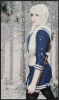
Hello all, I go by FaeBorne and I am fairly new cosplayer. I want to be able to sell prints of my work, thus the need to learn photoshop, especially since my husband is my photographer. I have played around a bit with Photoshop, but I still have so much to learn and am eager to do so. I have attached my most recent project and would like so advice on what i could do to make it better. It is a composite of 2 photos. Thanks in advance everyone!facebook.com/faeborne
 

Attachments

  • BabyDoll CosCard Photoslightlysmaller.jpg
    BabyDoll CosCard Photoslightlysmaller.jpg
    2.1 MB · Views: 3
First off, hello and welcome to PSG.

This is a very nice composite. There are some blending issues, the lighting needs slight adjusting, and some softening would look nice. I really like the snow flake overlay....nice touch. It's a little light compared to the snowfall in the BG.

Overall a nice job. Thanks for sharing!

edit: After reading, I sound a bit short................I'm multi-tasking......LOL!!
 
Last edited:
Thank you so much! I can definitely see the blending issues, I'm not sure exactly how to go about fixing them however, as well as the lighting...any tips?
 
Sorry, in and out.

As far as the lighting goes, there are many techniques that can be used. One I think you might try is the diffuse glow filter in the filters gallery to soften the subject. One of the best blending tool is the Blur tool set fairly low and used on the edges of the subject.

I used the filter here, but I would not use it on the BG.........but I don't have the layers.
Screen Shot 2015-04-03 at 10.43.26 PM.png

I would add a lot more snow!
 
I went in another way, using what Sam was suggesting - very slight blurs to edges just to soften it all, a colour over lay and dropped opacity with a snow storm layer added.

tig.jpg
 
Alright here is attempt #2. I tried to upload a .psd version but it's being finicky, any better?
 

Attachments

  • Babydoll Cropped.jpg
    Babydoll Cropped.jpg
    6.2 MB · Views: 2
The blending around the edges looks much better now, though you blurred the whole girl. A lot of details got lost in the skin and hair.
To improve your result you should either soften your selection or you should add a blur to the girls layer mask.
 
I forgot to mention that a very good way to achieve the best results is to paint black on the layer mask with a small soft brush with low opacity (20).
Like this you have full blending control and can soften the edges of your subject to your liking.
 

Back
Top