What's new
Photoshop Gurus Forum

Welcome to Photoshop Gurus forum. Register a free account today to become a member! It's completely free. Once signed in, you'll enjoy an ad-free experience and be able to participate on this site by adding your own topics and posts, as well as connect with other members through your own private inbox!

photoshop request please


SHarrison

Well-Known Member
Messages
60
Likes
0
Hi Guys/Girls

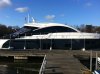
I have attached three pictures one showing what i need doing iv tired using the pen tool and chaging the color but sadly it comes out really bad, and im not a graphics designer so i thought ill ask someone on here that knows more about photoshop then what i do.

What i need to do is change the colour of the berth of the boat at sea with the color which is located on the boat thats in the harbour its navy blue i believe (IMG_0237.JPG) , because the one thats at sea has a gold berth which needs to be navy blue can someone change this for me?

The first image "ShowingWork" shows the extra bit that needs colouring aswell as the berth i.e theres also another picture of the same one which can used to complete the work (fairline-targa-62gt-at-sea-again.png)

if anyone can help me with this i will be so grateful! it mean the world to me :)

Can someone please help me with this
 

Attachments

  • ShowingWork.png
    ShowingWork.png
    1.3 MB · Views: 1
  • fairline-targa-62gt-at-sea-again.png
    fairline-targa-62gt-at-sea-again.png
    512.7 KB · Views: 1
  • IMG_0237.JPG
    IMG_0237.JPG
    1.7 MB · Views: 1
Hopefully, I understood what you are looking for. Since it was so easy to do, consider it a freebie, at least at this small size and without that extra part.

Tom M
 

Attachments

  • fairline-targa-62gt-at-sea-again-01_ps01a_recolored-01.jpg
    fairline-targa-62gt-at-sea-again-01_ps01a_recolored-01.jpg
    278.6 KB · Views: 1
Tom M thats amazing! sorry to be a pain but in the first picture i attached up the top i marked another part of the boat that also needs to be blue as its currently white, could you do that part aswell?

But thank you so much!!!
 
I know. Instead of a watermark, I intentionally did not color that section because this forum is has a strong educational motivation, and my guess is that you are likely to use the image for commercial purposes. My guess comes from looking over your posting history here -- you have many posts in which you essentially ask for free work on projects that look distinctly commercial (eg, buildings, web design, etc.)

For such work, you should submit a request to the "Freelance - work for fee" section (ie, http://www.photoshopgurus.com/forum/photoshop-freelance-work-fee-service-section/ ). It's a support-the-starving-artist sort of thing, don't undercut them with free work, especially work which will likely benefit you or your company monetarily.

BTW, if you decide to submit it there, I'm sure you will have many takers (possibly including myself) and the fee will be very reasonable. I also suggest that you submit a much higher resolution version of the image.

Tom M
 
Last edited:
Hi Tom M,

Thanks for the information, i shall take a look in the next half hour thanks again for your work so far really do appreciate it, is there any change you can break down and tell me what you done to achieve what you have with the picture?

As i mentioned before i followed a tutorial yesterday to try and achieve what you have and well it looked horrible, im aware there are multiple ways to achieve this but sadly for me i probably picked the worst one :(
 

Back
Top