What's new
Photoshop Gurus Forum

Welcome to Photoshop Gurus forum. Register a free account today to become a member! It's completely free. Once signed in, you'll enjoy an ad-free experience and be able to participate on this site by adding your own topics and posts, as well as connect with other members through your own private inbox!

Planets


echo89

Banned
Messages
18
Likes
0
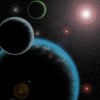
Here is one that i've made, As you may see, This is mainly the sort of stuff i like to do.planet-moon.png
pencil.png
 
OK... you've shown some of your space WIPS and I've noticed a few things in all your space scenes....

Your sunburst is overpowering the image..... it became more of the focal point of the image.... Like a supernova but you're not depicting a supernova.....

With a brightness like that, the stars behind it should have been drowned out. The starfield has to fade as it gets nearer to the sun.

The planet atmospheres... decrease the color hues and glows to bring out the planet surface.

Take your planet-moon image.... the planet , moons and starfield is overpowered by the sun, glows and hues of color. So is the one with the spaceship.

Don't confine the scene too close... Space is wide.....

There was one guy known for his space scenes.... Greg Martin.... all done in Photoshop... a r t o f g r e g m a r t i n . c o m....
 
Looks cool. Just a thought cause I've done a lot of space images. Your stars are all the same. In a realistic space shot, stars are dark in some areas and brighter in others. Specifically around the orbit of a planet stars will look less bright. ESPECIALLY going toward the sun, stars almost disappear entirely from view.
Cool scene!
 
Thank you for your input, I have now edited it, and i'm learning as i go along, Thanks.

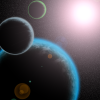
Here is the final image.
planets.png
 
I think that stars look like snowflakes if you decrease their count i suppose it would be more realistical
 

Back
Top