
Photoshop Gurus Forum
Welcome to Photoshop Gurus forum. Register a free account today to become a member! It's completely free. Once signed in, you'll enjoy an ad-free experience and be able to participate on this site by adding your own topics and posts, as well as connect with other members through your own private inbox!
You are using an out of date browser. It may not display this or other websites correctly.
You should upgrade or use an alternative browser.
You should upgrade or use an alternative browser.
Please advice me
- Thread starter Chroni
- Start date


- Messages
- 24,260
- Likes
- 13,720
This is a really BAD example of composting. The primary techniques used here are removing a background and how to add a person to a background.
Also look at compositing.
The rest is just light an color adjustments, I really hope that the graffiti was added as well!
Also look at compositing.
The rest is just light an color adjustments, I really hope that the graffiti was added as well!

Tom Mann
Guru
- Messages
- 7,125
- Likes
- 4,312
a) Have you searched for comments by the artist on the techniques he/she uses? Have you emailed him for information?
b) If I were setting up this shot, I would put the camera on a tripod, take a few bracketed exposures of the scene without the subjects, and run those images through an HDR program like Photomatix to develop the local contrast you see throughout the photo (eg, the exaggerated contrast in the clouds, etc.).
Next, without moving the camera on the tripod, just to the left of the camera, I would set up a fairly large off-camera strobe, absolute minimum of several hundred watt-seconds, probably with a large beauty dish (or softbox, if I had enough strobe power to throw away) to illuminate the subjects. I would then take a set of exposures (subjects in different positions) where the background was greatly underexposed, but the subjects were exposed perfectly. I would then composite the above two images.
Of course, one could get pretty close to what you see in a single shot, but the flexibility of having multiple shots would be very attractive to me, and almost certainly save me lots of time in post production.
Tom M
b) If I were setting up this shot, I would put the camera on a tripod, take a few bracketed exposures of the scene without the subjects, and run those images through an HDR program like Photomatix to develop the local contrast you see throughout the photo (eg, the exaggerated contrast in the clouds, etc.).
Next, without moving the camera on the tripod, just to the left of the camera, I would set up a fairly large off-camera strobe, absolute minimum of several hundred watt-seconds, probably with a large beauty dish (or softbox, if I had enough strobe power to throw away) to illuminate the subjects. I would then take a set of exposures (subjects in different positions) where the background was greatly underexposed, but the subjects were exposed perfectly. I would then composite the above two images.
Of course, one could get pretty close to what you see in a single shot, but the flexibility of having multiple shots would be very attractive to me, and almost certainly save me lots of time in post production.
Tom M
Tom Mann
Guru
- Messages
- 7,125
- Likes
- 4,312
Hi Sam -
I dunno about the guys. they could have been shot (a) in exactly the same exposure as the background, (b) separate exposures (with flash) from exactly the same location, or (c) in a completely unrelated location. If it were me shooting it, as I said, I would use technique (b), but who knows.
With respect to the sky, my strong suspicion is that it was shot in the same exposure as the buildings and not composited in.
The reason I say this is the presence of the bright band of sky right above the tops of many of the buildings. This sort of haloing is a dead give-away for poorly done HDR processing or other technique to increase the local contrast. If the sky had been composited in, the only way you get this banding is if local contrast was added after the compositing, but why composite in an ordinary sky and then HDR it? Why not just take an ordinary single (or multiple) exposure and add local contrast to that.
T
I dunno about the guys. they could have been shot (a) in exactly the same exposure as the background, (b) separate exposures (with flash) from exactly the same location, or (c) in a completely unrelated location. If it were me shooting it, as I said, I would use technique (b), but who knows.
With respect to the sky, my strong suspicion is that it was shot in the same exposure as the buildings and not composited in.
The reason I say this is the presence of the bright band of sky right above the tops of many of the buildings. This sort of haloing is a dead give-away for poorly done HDR processing or other technique to increase the local contrast. If the sky had been composited in, the only way you get this banding is if local contrast was added after the compositing, but why composite in an ordinary sky and then HDR it? Why not just take an ordinary single (or multiple) exposure and add local contrast to that.
T

Tom Mann
Guru
- Messages
- 7,125
- Likes
- 4,312
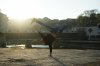
Having the sun shine right into your camera lens severely limits what you can do with that image, at least without extraordinary effort by a photoshop expert. Specifically, there is a substantial area of your image that contains no useful information because the maximum brightness that your sensor can record has been exceeded in that area.
At the other end of the spectrum, everything that *is* interesting (eg, the face of the person, the buildings, etc.) is in deep shadow because of the direction of the sun.
If you want to come close to the original image you posted, my first recommendation is to re-take your photo on a better day, with the sun in front of the subject (and to the side), and use a big fill flash to make the subject look like he was illuminated by flash (as was the person in the earlier image).
IMHO, one can play with this image all you want in post processing, and it will never look as good as if it had been shot correctly in the first place. In a few min, I'll post an example of what could be done simply in PP, and I doubt you will be happy with it if your goal is the image you first cited.
Tom
At the other end of the spectrum, everything that *is* interesting (eg, the face of the person, the buildings, etc.) is in deep shadow because of the direction of the sun.
If you want to come close to the original image you posted, my first recommendation is to re-take your photo on a better day, with the sun in front of the subject (and to the side), and use a big fill flash to make the subject look like he was illuminated by flash (as was the person in the earlier image).
IMHO, one can play with this image all you want in post processing, and it will never look as good as if it had been shot correctly in the first place. In a few min, I'll post an example of what could be done simply in PP, and I doubt you will be happy with it if your goal is the image you first cited.
Tom

iDad
Guru
- Messages
- 8,715
- Likes
- 2,556
Tom, in the larger version of the image, it looks to me as though the guys and the sky were added.........but I could be wrong.
Look at the shadows the shadows don't jive hundred percent agreement with Sam
manipulated BIGTIME
Tom Mann
Guru
- Messages
- 7,125
- Likes
- 4,312

Tom Mann
Guru
- Messages
- 7,125
- Likes
- 4,312
I'm going to stick to my guns (ie, what I said in the 1st paragraph of post #6 in this thread).Look at the shadows the shadows don't jive hundred percent agreement with Sam
manipulated BIGTIME
I see two sources of light in the photo: The 1st source is the sun, probably hidden behind a cloud, thereby giving a cool, diffuse lighting on the buildings, and the ground away from the subjects. IMHO, the 2nd source of light is a strong, off-camera flash, reasonably well color balanced, probably a few feet to the left of the camera and maybe 3 feet off the ground. This 2nd source is what is making the shadow of the arm (on the ground), the shadows on the face, etc.
With a strong enough flash and the right settings, it's very, very easy to get this sort of look. Most amateur photographers never experience this because they (a) don't have the ability to move the flash that far off the camera, and (b) don't have a strong enough flash to overpower the sun and cast shadows in daylight.
Later today or tonight, I'll try to find an example or two of this and post the link.
Best regards, guys.
T

ibclare
Queen Bee
- Messages
- 9,890
- Likes
- 4,028
I have to agree with Tom. It looked really photoshopped to me at first until I enlarged it and looked closely at the ground around the figures. They are too seamlessly meshed it seems to me. But I'm not wagering my firstborn on that. (ha ha, no kids!)
I especially agree that the OP's photo is going to be difficult if not impossible to fix up enough to create the kind of image he wants. Too many technical difficulties as Tom outlined. I know Tom or many on this forum could continue to improve it more, but it takes considerable skills it is unlikely the OP has at this point. A lot of people come to Photoshop and think a miracle can happen in one or two steps with a month or two of PS experience, but it takes years to get the kind of skill and knowledge to post process this (his own shot) and get a decent photo. The time spent to do that would better be spent as noted above by redoing the shot under the right lighting conditions.
It's a possibility that the originally posted photo was enhanced as the light effects are dramatic. But it started out as a shot with good potential and probably didn't need much or any editing, except to produce the drama, most noticeable at first glance in the sky.
I especially agree that the OP's photo is going to be difficult if not impossible to fix up enough to create the kind of image he wants. Too many technical difficulties as Tom outlined. I know Tom or many on this forum could continue to improve it more, but it takes considerable skills it is unlikely the OP has at this point. A lot of people come to Photoshop and think a miracle can happen in one or two steps with a month or two of PS experience, but it takes years to get the kind of skill and knowledge to post process this (his own shot) and get a decent photo. The time spent to do that would better be spent as noted above by redoing the shot under the right lighting conditions.
It's a possibility that the originally posted photo was enhanced as the light effects are dramatic. But it started out as a shot with good potential and probably didn't need much or any editing, except to produce the drama, most noticeable at first glance in the sky.
iDad
Guru
- Messages
- 8,715
- Likes
- 2,556
This is a clear case of low resolution I found the original image, was driving me crazy:banghead:http://www.redbull.com/it/it/music/stories/1331611362341/foto-profili-b-boy-bc-one-napoli
Thank you for your picture that sent me. Please tell me what effects you used? I have more pictures of mine, like that and i wish to edit them, and i wanna learn new effects. Just told me what are you changed. No clouds and another pictures, just original. And again im sorry for my English.
http://www44.zippyshare.com/v/62310592/file.html
Another photo with big resolution. Give me ideas, and if you have time an example for edit.
Another photo with big resolution. Give me ideas, and if you have time an example for edit.
Tom Mann
Guru
- Messages
- 7,125
- Likes
- 4,312
@Chroni - It sounds like you are not very experienced in Photoshop (ie, know 50% of the tools, have successfully done complicated edits on less than 1000 images using the full version of PS, not elements, etc.).
In addition, it is unlikely that you will have the tools that I used to adjust your image.
In addition to that, the results are never going to be good with the sun in the frame.
Let me suggest it again: Re-take the photos. You'll spend more time getting a not very satisfactory result with PS, whereas you'll be able to get a much better result if the initial image is better.
BTW, some people may suggest that you simply brighten everything. I won't make that suggestion because I doubt you will like the result.
@iDad, Sam - Take a look at these pages for examples of shadows apparently going the "wrong way" due to strong off-camera flash:
http://jasoncollinphotography.com/s....jpg?__SQUARESPACE_CACHEVERSION=1288991224744
http://pixsylated.com/blog/pix/syl_arena_chelsea-bellflower_16301629.jpg
http://pixsylated.com/blog/simple-truths-about-high-speed-sync-2/
http://i1.ytimg.com/vi/lyyrr62tWh4/maxresdefault.jpg
http://jasoncollinphotography.com/s....jpg?__SQUARESPACE_CACHEVERSION=1294884069629
http://jasoncollinphotography.com/s....jpg?__SQUARESPACE_CACHEVERSION=1377110557444
http://4.bp.blogspot.com/_kYou0sYtaeI/Rp19KYxfq_I/AAAAAAAAADA/9WYx1eWVlik/s1600-h/_mg_7492psss.jpg
Tom
In addition, it is unlikely that you will have the tools that I used to adjust your image.
In addition to that, the results are never going to be good with the sun in the frame.
Let me suggest it again: Re-take the photos. You'll spend more time getting a not very satisfactory result with PS, whereas you'll be able to get a much better result if the initial image is better.
BTW, some people may suggest that you simply brighten everything. I won't make that suggestion because I doubt you will like the result.
@iDad, Sam - Take a look at these pages for examples of shadows apparently going the "wrong way" due to strong off-camera flash:
http://jasoncollinphotography.com/s....jpg?__SQUARESPACE_CACHEVERSION=1288991224744
http://pixsylated.com/blog/pix/syl_arena_chelsea-bellflower_16301629.jpg
http://pixsylated.com/blog/simple-truths-about-high-speed-sync-2/
http://i1.ytimg.com/vi/lyyrr62tWh4/maxresdefault.jpg
http://jasoncollinphotography.com/s....jpg?__SQUARESPACE_CACHEVERSION=1294884069629
http://jasoncollinphotography.com/s....jpg?__SQUARESPACE_CACHEVERSION=1377110557444
http://4.bp.blogspot.com/_kYou0sYtaeI/Rp19KYxfq_I/AAAAAAAAADA/9WYx1eWVlik/s1600-h/_mg_7492psss.jpg
Tom
Tom Mann
Guru
- Messages
- 7,125
- Likes
- 4,312
BTW, if anyone wants to walk the OP through the steps needed for a simplified fix, go for it, but I, for one, do not want to perpetuate the myth that one can turn a garbage picture into something that looks half-way decent, especially if the person asking the question is inexperienced and think they can do it just by pressing a few buttons.

T
PS - I just looked at the OP's more recent upload. At least, in that case, the sun is not in the frame, so PP'ing it stands a chance of producing a half-way decent result. That being said, simply turning on the fill-flash on a point and shoot camera would clearly have produced vastly better results.
T
PS - I just looked at the OP's more recent upload. At least, in that case, the sun is not in the frame, so PP'ing it stands a chance of producing a half-way decent result. That being said, simply turning on the fill-flash on a point and shoot camera would clearly have produced vastly better results.

Paul
Former Member
- Messages
- 10,933
- Likes
- 5,560
Check the link guys world break dance finals or something http://www.redbull.com/it/it/music/stories/1331611362341/foto-profili-b-boy-bc-one-napoli
Hey Tom, sorry but give me example for re-picture. I mean what background.
I had an idea to do a picture like this: http://www29.zippyshare.com/v/70906945/file.html
But I cant find background like this and improvise http://www29.zippyshare.com/v/43817922/file.html but even not closer.
So give me a path wich I take to do better photo, and become better with photoshop edit. Thanks
P.S. Look what i've done. Its not really good http://www36.zippyshare.com/v/8091413/file.html
Help me :\\
I had an idea to do a picture like this: http://www29.zippyshare.com/v/70906945/file.html
But I cant find background like this and improvise http://www29.zippyshare.com/v/43817922/file.html but even not closer.
So give me a path wich I take to do better photo, and become better with photoshop edit. Thanks
P.S. Look what i've done. Its not really good http://www36.zippyshare.com/v/8091413/file.html
Help me :\\
Last edited:
- Messages
- 24,260
- Likes
- 13,720
Sorry I missed most of this thread, but I'm glad to have been wrong! Thanks iDad for finding the original!
Thanks TomM for the links. It's always hard to tell from an image posted by an OP. Links to originals would be much better.
Thanks TomM for the links. It's always hard to tell from an image posted by an OP. Links to originals would be much better.