What's new
Photoshop Gurus Forum

Welcome to Photoshop Gurus forum. Register a free account today to become a member! It's completely free. Once signed in, you'll enjoy an ad-free experience and be able to participate on this site by adding your own topics and posts, as well as connect with other members through your own private inbox!

Please help photoshop this


asin

Member
Messages
7
Likes
0
Hi,

I'm just a newbie so no idea what to do.

I would like to combine people (both body/faces) together.

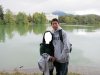
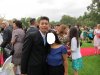
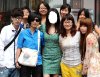
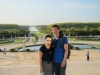
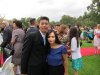
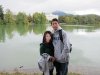
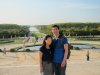
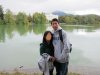
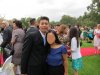
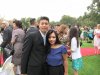
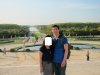
Can I get some professional assistance on combining the girl on pics 1,2,3 to the guy on pics 4,5,6?

Any combinations welcome, just trying to put together something funny for a wedding slideshow.

Thanks,
 

Attachments

  • 4.JPG
    4.JPG
    230.8 KB · Views: 4
  • 5.JPG
    5.JPG
    211.6 KB · Views: 2
  • 6.JPG
    6.JPG
    252.6 KB · Views: 2
  • 3.jpg
    3.jpg
    78.9 KB · Views: 55
  • 2.jpg
    2.jpg
    57.1 KB · Views: 55
  • 1.jpg
    1.jpg
    85.1 KB · Views: 55
hi, sorry the pics are out of order, please combine the guy on the first 3 pics to the girl in green
 
Here we go. Weird face. So white.
 

Attachments

  • 1.jpg
    1.jpg
    97.7 KB · Views: 46
  • 2.jpg
    2.jpg
    91.2 KB · Views: 46
  • 3.jpg
    3.jpg
    145.4 KB · Views: 46
well due to your oversized big white boxes you have made the job a lot harder than it needs to be and you have to fake a lot more ie cloning in the background .
here is a quickie for you
4.png
 
Some simple layer masking and color balancing using curves and selective color.
 

Attachments

  • 6a.jpg
    6a.jpg
    242.2 KB · Views: 38
  • 5a.jpg
    5a.jpg
    189.4 KB · Views: 36
wow thanks hoogle and twelvebitstyle, any chance of putting the male face into the female photos?

I've also reattached the photos without the white boxes, if any improvements can be made to the ones already photoshoped. Thanks so much!
 

Attachments

  • 4.JPG
    4.JPG
    216.8 KB · Views: 0
  • 5.JPG
    5.JPG
    198.3 KB · Views: 0
  • 6.JPG
    6.JPG
    239.6 KB · Views: 0
if I can - please please please ask for two more things:

1) Do a mirror image of the 3rd pic in the opening post - to flip the face in the right direction and then stick that face and neck into the 4th, 5th and 6th pic of original post

2) the picture below remove the background of all the other people so its just the 2 people with sky trees and grass

THanks in advance!
 

Attachments

  • 1a.jpg
    1a.jpg
    84.6 KB · Views: 6

Back
Top