
What's new
Photoshop Gurus Forum

Welcome to Photoshop Gurus forum. Register a free account today to become a member! It's completely free. Once signed in, you'll enjoy an ad-free experience and be able to participate on this site by adding your own topics and posts, as well as connect with other members through your own private inbox!

Problen with image rotation in Bridge


xversion1

Well-Known Member
Messages
82
Likes
40
When I work in Windows 8. I can select a lot of pictures and click on "Rotate 90 clockwise" button (see the following figure) 7cdb5cf4b3aac248465ecf9091b26019_48068810.untitled.png and then I got the same effect in Windows Explorer efe7fa78461011c4ff642230cb4eefcf_48068798.untitled2.png. But when I work in Windows 7, I can't do the same thing, If I rotate the images in Bridge, I'll get nothing change in Windows Explorer 61972403630d4e2c97c43608fee48c94_48068861.3.png. Can anyone help me solve this problem? I can rotate each image one time, it'll take from me a few hours. Thanks1
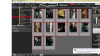


 
I do not have Win 8 so I cannot test it, but I think Bridge does not change the picture, it just writes the rotation information somewhere and Win 8 can look for it, while Win7 cannot. I would guess you cannot change this behaviour, the question is whether you have some reasonable workaround, but it depends what your plans are with those pictures. For example saving them in Photoshop would solve the issue, but it is usable only if you work with them in Photoshop.
 
I do not have Win 8 so I cannot test it, but I think Bridge does not change the picture, it just writes the rotation information somewhere and Win 8 can look for it, while Win7 cannot. I would guess you cannot change this behaviour, the question is whether you have some reasonable workaround, but it depends what your plans are with those pictures. For example saving them in Photoshop would solve the issue, but it is usable only if you work with them in Photoshop.
Thanks! Actually, I have more than 100 photos were shot by my iPhone. 'cause I rotated my iPhone so these photos were rotated 90 degree than normal. I need to rotate all of them with 1 click because I can't rotate each one step by step, it's so long and I can't do it with Photoshop but Bridge. I want the change in Brigde effect to those photos when I see them by Windows.
 
Thanks you guys! But I searched a lot of pages by Google and I got another way so simpler.
You can select all photos in your folder, right click and choose Rotate clockwise or Rotate counterclockwise and Bam! We've done! :D
 
Thanks you guys! But I searched a lot of pages by Google and I got another way so simpler.
You can select all photos in your folder, right click and choose Rotate clockwise or Rotate counterclockwise and Bam! We've done! :D

Be careful, if I understand you correctly, you rotate it in windows, this is not the same. Bridge only marks the picture as rotated, while windows used to ( it needs to be checked whether it is still the same ) physically rotate the picture with quality loss, I do not think this is what you want.
 
Be careful, if I understand you correctly, you rotate it in windows, this is not the same. Bridge only marks the picture as rotated, while windows used to ( it needs to be checked whether it is still the same ) physically rotate the picture with quality loss, I do not think this is what you want.
Is that real? I've never heard that before. I used to rotate photo individually by Windows Photo Viewer. Does this make the photo lose its quality?
 
It is not that long ago, there used to be a warning window when you first rotated picture this way, if you clicked the box "Do not show again" of course it did not repeat. I really do not know whether it is still the case now, but I never used this. For me batch in Irfan view is convenient for such operations as rotation or resizing, so I have no reason to do it in windows.

I hope somebody else knows more than me.
 

Back
Top