

Hoogle
Guru
- Messages
- 7,940
- Likes
- 2,488
Ok trying a new thing here not sure how we can work it as not everyone has Access to Raw files however Raw files are so more flexible when it comes to editing.
The rules are simple either every fortnight maybe more depending on the popularity either I or anyone else who has Raw files (maybe from a website etc) will upload a Raw file not jpeg etc and the rules are simple you can edit it manipulate it in any way shape or form that you see fit. This stops everyone from uploading similar looking pictures you can use the whole file or part of the file and make it abstract or blended into a manipulation. Some weeks the pictures will need very little work to them and others will need a lot. (all depends on what our budding photographers can capture.
This will bring back practical photoshop and hopefully demonstrate how it can be used for photography and then with more experience etc how you can turn a standard photo into a real piece of Art \ Manipulation.
This is open to everyone and it will be good practice for getting use to ACR as that is a very powerful plugin for photoshop and very under used. I think with every challenge should be a helpful hint so here is mine
ACR Hint: 1 After adjusting your image in ACR before you click open image hold down the shift key the open image box will change to open Object.
This will open up the image as a smart Object giving it much more flexibility. for a quick example of this if you add effects to the image and you find the exposure is not correct or any ACR adjustments at any stage you can double click the smart object in the layer panel and that will open it up in ACR again so you can fine tweak the settings.
If it is not a smart object and you edit it then you have to delete the layer and start again if it goes wrong.
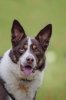
Ok simple 1 this week as it is a fun crazy dog with a very peculiar eye.
this was edited to the taste of the person I was shooting for as just an example how it turned out.
Meet Ned the dog lol
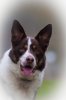
The raw file is in a rar Archive and is full size resolution. View attachment _DSC0143.rar you will need winrar or any unzipping program to extract the file.
PS if there is anyone out there photographer or not that can shoot in Raw mode and would like to put some pictures forward then PM me and maybe you can set some challenges as well or pass them on to me to set the challenge with. But in doing so you are giving permission for the artist to use your image in any way they see fit when it comes to editing and possibly use it on a blog etc. However to the members using other peoples work this does not give you the right to redistribute any files on here without the owners permission. If that is granted and you use it elsewhere then please credit the original photographer.
The rules are simple either every fortnight maybe more depending on the popularity either I or anyone else who has Raw files (maybe from a website etc) will upload a Raw file not jpeg etc and the rules are simple you can edit it manipulate it in any way shape or form that you see fit. This stops everyone from uploading similar looking pictures you can use the whole file or part of the file and make it abstract or blended into a manipulation. Some weeks the pictures will need very little work to them and others will need a lot. (all depends on what our budding photographers can capture.
This will bring back practical photoshop and hopefully demonstrate how it can be used for photography and then with more experience etc how you can turn a standard photo into a real piece of Art \ Manipulation.
This is open to everyone and it will be good practice for getting use to ACR as that is a very powerful plugin for photoshop and very under used. I think with every challenge should be a helpful hint so here is mine
ACR Hint: 1 After adjusting your image in ACR before you click open image hold down the shift key the open image box will change to open Object.
This will open up the image as a smart Object giving it much more flexibility. for a quick example of this if you add effects to the image and you find the exposure is not correct or any ACR adjustments at any stage you can double click the smart object in the layer panel and that will open it up in ACR again so you can fine tweak the settings.
If it is not a smart object and you edit it then you have to delete the layer and start again if it goes wrong.
Ok simple 1 this week as it is a fun crazy dog with a very peculiar eye.
this was edited to the taste of the person I was shooting for as just an example how it turned out.
Meet Ned the dog lol
The raw file is in a rar Archive and is full size resolution. View attachment _DSC0143.rar you will need winrar or any unzipping program to extract the file.
PS if there is anyone out there photographer or not that can shoot in Raw mode and would like to put some pictures forward then PM me and maybe you can set some challenges as well or pass them on to me to set the challenge with. But in doing so you are giving permission for the artist to use your image in any way they see fit when it comes to editing and possibly use it on a blog etc. However to the members using other peoples work this does not give you the right to redistribute any files on here without the owners permission. If that is granted and you use it elsewhere then please credit the original photographer.
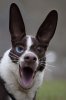


 pocket protector dog :



 . Self-care. Gotta come first. Nice dog!