
Hello I have an image (brown wood) with some texture in it and need to recolour it. If I simply choose the paint bucket it does recolour it, but it also loses the texture (I would upload it but almost always have a problem uploading images here). How would I recolour the image please while retaining its texture. It's a png file. Thanks.
Photoshop Gurus Forum
Welcome to Photoshop Gurus forum. Register a free account today to become a member! It's completely free. Once signed in, you'll enjoy an ad-free experience and be able to participate on this site by adding your own topics and posts, as well as connect with other members through your own private inbox!
You are using an out of date browser. It may not display this or other websites correctly.
You should upgrade or use an alternative browser.
You should upgrade or use an alternative browser.
Recolouring an image
- Thread starter Bluie
- Start date

Thanks, I'll try it. I've uploaded it here: http://www.bayingwolf.com/China/images/bg.jpg Sorry, it's not a png, it's a jpg.

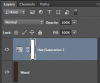
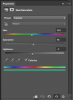
Hello IamSam - yes, this was the kind of background effect I was after: http://www.bayingwolf.com/China/index.html Thanks again!

ibclare
Queen Bee
- Messages
- 9,890
- Likes
- 4,028
I am not sure what you are looking for. Do you want to recolor a texture or are you looking for the appropriate texture for a background?
Also, to post an image, all you need do is look in the reply window toolbar, choose the square icon, choose the "from computer" option, then browse and upload.
Also, to post an image, all you need do is look in the reply window toolbar, choose the square icon, choose the "from computer" option, then browse and upload.
Hello - regarding uploading images, this is all I can see (no browse/upload button): http://www.bayingwolf.com/China/images/ibClare.jpg Yes, I had a small background image, dark brown with a wood texture and wished to recolour it to this dark green #104A3D while maintaining the texture. IamSam replied and the result is in the link I posted above, which I am pleased about. If you look, however, very closely where the two boxes meet there is a slight discrepancy in the seams. Not quite sure what to do about that!
ibclare
Queen Bee
- Messages
- 9,890
- Likes
- 4,028
That is a weird thing as it should say choose and upload. Have you tried a different browser? It shouldn't be necessary. I tried it for a problem I was having in advance edit mode and it didn't change. I'll see if admin has any idea what's happening.
I'm glad Sam's advice helped on the colorization!
I'm glad Sam's advice helped on the colorization!
Hello ibclare
It looks as you say it should in Safari - seems that it only affects my IE.
Thanks! Incidentally, the panda part was your idea - don't know if you remember or what you think of it now.
http://www.bayingwolf.com/China/index.html
Bluie
It looks as you say it should in Safari - seems that it only affects my IE.
Thanks! Incidentally, the panda part was your idea - don't know if you remember or what you think of it now.
http://www.bayingwolf.com/China/index.html
Bluie