What's new
Photoshop Gurus Forum

Welcome to Photoshop Gurus forum. Register a free account today to become a member! It's completely free. Once signed in, you'll enjoy an ad-free experience and be able to participate on this site by adding your own topics and posts, as well as connect with other members through your own private inbox!

Recreating image colour


majorjack

New Member
Messages
3
Likes
0
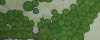
Hi there, I am aiming to recreate the texture of the trees in this site map. It looks as though it was originally created with a marker pen, and has several shades of green that I want to also wish show. I have already created the trees, so its just the colouring i'm struggling with. Any suggestions please post, will be greatly appreciated :)
 

Attachments

  • 1.jpg
    1.jpg
    1.3 MB · Views: 7
Hi Majorjack, welcome to the forum.

Part of what creates the texture of these colors is the absorbency of the drawing paper. You can recreate that pretty well I should think. I would use a more tactile approach and use soft brushes at different opacities. Like Paul said, multiple layers will get you depth and color mixes. Looking closely at one of the tree representations, you have a texture that is a kind of grunge. It might be fun to download some paint droplet and spatter brushes and play around with smearing them and soft brush painting over them. There are many ways you can do this.

If you want to use more tool based methods, try Paul's suggestions, use layers with gradients at different opacities and even experiment with blending modes (on the above methods as well), just try different things. It will be a combination of techniques that will give you the nicest looking results. Hope this helps.
 

Back
Top