What's new
Photoshop Gurus Forum

Welcome to Photoshop Gurus forum. Register a free account today to become a member! It's completely free. Once signed in, you'll enjoy an ad-free experience and be able to participate on this site by adding your own topics and posts, as well as connect with other members through your own private inbox!

Specific Remove blur


Vladgabe

New Member
Messages
1
Likes
0
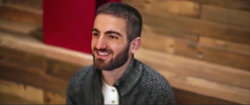
Hi! I have these pictures but sadly the camera was unfocused and all are kind of blurred so if someone can please remove that blur(at least from my body if not at all)+work on the quality of the imgs that would be so cool🙈thanks you for your time
7E5B9524-45BB-4456-ACE8-9C6EB10BC30E.jpeg6C424191-4744-42E0-8DD7-F5CC2000A9A4.jpeg4D5380FF-3512-4A02-8FCB-067A6985E41D.jpeg
 
There's not a lot you can do to remove the blur from an image without any other sharp reference images.

This is with the basic Sharpening Tool.

6C424191-4744-42E0-8DD7-F5CC2000A9A4.jpeg

4D5380FF-3512-4A02-8FCB-067A6985E41D.jpeg
 
Here is my try. There are no real good tools that I have found to fix non-motion blur out of focus. Yet there are a few tricks to fool the eye/brain perception to make it look sharper such as localized contrast, contrast, toning, and selective sharpening of eyes, mouth, eyebrows, ears, hairlines. This is the best I could do.
I could do the others if this is in the direction of interest yet don't expect tack sharp images from the starting points you provided. PS - If you have them it would be good to have the original raw images instead of JPEG format which has compression artifacts.
John Wheeler

Sharper-1.jpg
 

Back
Top