
Photoshop Gurus Forum
Welcome to Photoshop Gurus forum. Register a free account today to become a member! It's completely free. Once signed in, you'll enjoy an ad-free experience and be able to participate on this site by adding your own topics and posts, as well as connect with other members through your own private inbox!
You are using an out of date browser. It may not display this or other websites correctly.
You should upgrade or use an alternative browser.
You should upgrade or use an alternative browser.
Specific Remove Shadows
- Thread starter sjd292
- Start date

ex_teacher
Guru
- Messages
- 568
- Likes
- 1,177
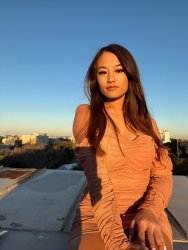
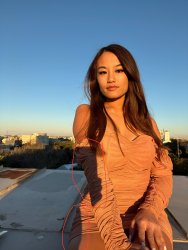
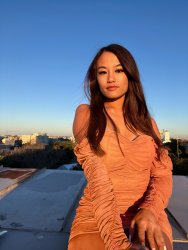
Seems like it should be easy 
Last edited:
Thank you for your effort, but what happened to the color of my nail at the bottom?
Seems like it should be easy
@ex_teacher,
Nice job. Can you tell me how you did it?
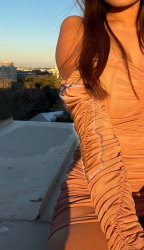
I got this far—working on the arm only—using a Levels adjustment and an orange layer set to Color. But I can't get rid of the obvious border where the shadow area meets the light. I know I could fix this with a lot of onerous Clone Stamping, but I was hoping to find a more clever way.
Rich
ex_teacher
Guru
- Messages
- 568
- Likes
- 1,177
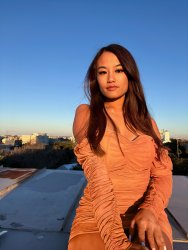
I looked for a good excuse like a Photoshop bug or a digital anomaly but the technical answer is that it's a late-night screw up.Thank you for your effort, but what happened to the color of my nail at the bottom?
I know you only wanted the two shadows eliminated but the the hand look like it had coal dust on it and not a light shadow. I lightened slightly and painted over that using a skin color in a suitable mode. Unfortunately I overlapped the nail. Its an easy fix fortunately.
ex_teacher
Guru
- Messages
- 568
- Likes
- 1,177
Exact same process and, YUP... Onerous clone and healing brush.@ex_teacher,
Nice job. Can you tell me how you did it?
I got this far—working on the arm only—using a Levels adjustment and an orange layer set to Color. But I can't get rid of the obvious border where the shadow area meets the light. I know I could fix this with a lot of onerous Clone Stamping, but I was hoping to find a more clever way.
Rich
View attachment 127515
I like the image so it was worth the work.
Bruce

- Messages
- 2,566
- Likes
- 3,097
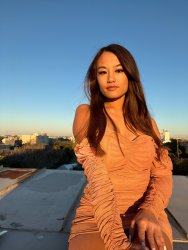
Put in some work myself - became m project for the day. Pulled image into camera raw, masked the shadow areas, then applied exposure, shadow, and black adjustments. Came back to the image and did some additional exposure adjustments on the shadow areas.
I don't think you can get away from cloning, tried the healing brushes but just didn't work.
I don't think you can get away from cloning, tried the healing brushes but just didn't work.
ex_teacher
Guru
- Messages
- 568
- Likes
- 1,177
Given the state of the art 'intelligent fill' capability in PS, I was hoping that someone would say, "Just select the problematic area , click on ???? and PS will do an intelligent transition." When I create a stitched panorama it fills in areas but apparently not here.The dress has so many pleats and folds that I just didn't have the energy for that much clone stamping. I thought I could try something like Blend-If, but that didn't work either.
Maybe I need the secret handshake.