What's new
Photoshop Gurus Forum

Welcome to Photoshop Gurus forum. Register a free account today to become a member! It's completely free. Once signed in, you'll enjoy an ad-free experience and be able to participate on this site by adding your own topics and posts, as well as connect with other members through your own private inbox!

replace the colour of a tshirt


hansolo

Member
Messages
10
Likes
0
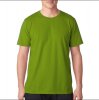
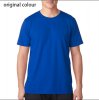
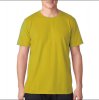
hi ive using the replace color on tshirt by selecting the colour of the tshirt. The darker colours are working fine. When i change to a lighter color like a yellow the edge of the tshirt is to dark

The blue thsirt was the original colour. I want to remove the dark line around the yellow tshirt .
 

Attachments

  • yellow tshirtedge halo.jpg
    yellow tshirtedge halo.jpg
    42.8 KB · Views: 21
  • green tshirt.jpg
    green tshirt.jpg
    41.7 KB · Views: 21
  • blue t shirt.jpg
    blue t shirt.jpg
    44.4 KB · Views: 20
I rarely use the replace color tool I think there are better options out there.

In this case it would be easy and none destructive make a selection of the tshirt should be easy and possibly expand by 5 pixels then create a hue saturation adjustment layer and move the sliders until you get the desired color. You may then have to paint using a black brush on the adjustment layer mask around neck and arms if it has overflowed slightly but if you only target the blues in the hue/sat layer then it shouldnt be a problem
 
The woman in the video is misinformed and does not understand how to use a Hue & Saturation Adjustment layer.

A Hue & Saturation Adjustment layer using COLORIZE, provides much more adjustment and control over a new color.

Removing the dark line around the yellow Tee can be done like Hoogle states by expanding the selection by a few pixels. Using Refine Edge would do the trick! Go to SELECT > REFINE EDGE.
 

Back
Top