What's new
Photoshop Gurus Forum

Welcome to Photoshop Gurus forum. Register a free account today to become a member! It's completely free. Once signed in, you'll enjoy an ad-free experience and be able to participate on this site by adding your own topics and posts, as well as connect with other members through your own private inbox!

Smudge tool acting weird


Rik Bresser

New Member
Messages
2
Likes
0
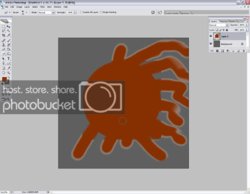
I have a problem with my smudge tool. Every time I try to smudge around with a shape, it seems to draw a rectangulair box around the shape, and when you smudge out of those boxes white edges appear around the smudge.

I made some screenshots of what happens:
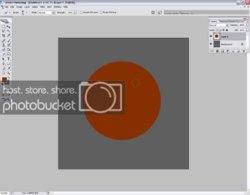
Smudgetoolgonemad.jpg


Smudgetoolgonemad2.jpg

I hope somebody knows what I'm doing wrong, because I sure don't.

Thanks for reading.
 
Sorry for resurrecting a dead thread but I've been having this issue for the past three months, CS3 has been working perfectly fine for over a year, and then at the end of september i started getting these *exact* same issues. I've searched high and low for a resolution to the problem but to no avail, and I was hoping that since this thread was originally made that maybe the original poster managed to solve the problem or someone else knows how?

I've tried resetting to default and that didn't help :(


I just went in to photoshop to see if i can find out the problem (for the millionth time), and this time i tried removing black/white matting settings on the layer, this seemed to work for the most part, except it looks slightly pixellated and "burned" now.
 
Last edited:
Hey Joshua,

A friend of mine had this problem just now and she turned up at this site too.
I kinda forgot about this post, it has been a long time :P.

Anyway, there are 2 reasons this is happening

1. The strength of you smudge tool is probably too high, try setting it at 50 or less, you don't really need more.

2. This stuff only occurs when the area you smudge into is transparant, if the smudge tool was at 100strength and you'd do it in a filled layer, it won't happen either.


I haven't found out why it draws such silly boxes around stuff


I hope that helped,

Rik
 
Hey Joshua,

A friend of mine had this problem just now and she turned up at this site too.
I kinda forgot about this post, it has been a long time :P.

Anyway, there are 2 reasons this is happening

1. The strength of you smudge tool is probably too high, try setting it at 50 or less, you don't really need more.

2. This stuff only occurs when the area you smudge into is transparant, if the smudge tool was at 100strength and you'd do it in a filled layer, it won't happen either.


I haven't found out why it draws such silly boxes around stuff


I hope that helped,

Rik


thanks, nice info :)
 

Back
Top