Hi there,
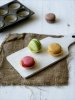
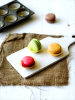
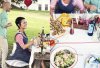
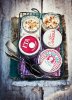
I'd like some help in breaking down the steps and tools that might have been used to achieve these looks:
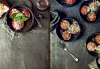
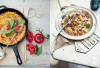
(photos by Katie Quinn Davis)
I know some photoshop basics such as creating new adjustment layers, changing the brightness, contrast, selective color, and recently - fiddling with curves. But beyond that, I am lost. I really love how these photos have that kind of film-like quality to them even though they were captured with a dslr. Could someone please give me some pointers on how to go about achieving the same look? What tools should I learn how to use? What are the settings that I should start off with? Are there presets, plugins, filters, etc out there that would also give me these effects?
I know a big part of it has to do with the lighting set up and I'm pretty solid when it comes to that. Just need major help in post-processing/touching up. Most of my photos are of food as well so I'd really like to learn how to make them look more like those found in magazines and cookbooks. Thank you so much in advance!
I'd like some help in breaking down the steps and tools that might have been used to achieve these looks:
(photos by Katie Quinn Davis)
I know some photoshop basics such as creating new adjustment layers, changing the brightness, contrast, selective color, and recently - fiddling with curves. But beyond that, I am lost. I really love how these photos have that kind of film-like quality to them even though they were captured with a dslr. Could someone please give me some pointers on how to go about achieving the same look? What tools should I learn how to use? What are the settings that I should start off with? Are there presets, plugins, filters, etc out there that would also give me these effects?
I know a big part of it has to do with the lighting set up and I'm pretty solid when it comes to that. Just need major help in post-processing/touching up. Most of my photos are of food as well so I'd really like to learn how to make them look more like those found in magazines and cookbooks. Thank you so much in advance!