
You will have to excuse my ignorance and lack of technical language as I am completely new to this application.
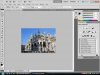
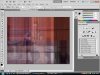
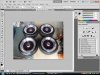
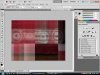
But upon opening a file I have a funny grid appear on some pictures, not all pictures, but most. Look at the pictures below to see what I mean.
For reference dont know if this information is relevant but I'll let you guys know anyway. The 1st picture is one downloaded from google. 2nd Was taken by a friend from her phone and then I downloaded it from facebook. 3rd was taken from a friends digital camera and then the 4th from my digital camera.
Does anyone know why this is happening and how I can get rid of it?
Any help is greatly appreciated.
But upon opening a file I have a funny grid appear on some pictures, not all pictures, but most. Look at the pictures below to see what I mean.
For reference dont know if this information is relevant but I'll let you guys know anyway. The 1st picture is one downloaded from google. 2nd Was taken by a friend from her phone and then I downloaded it from facebook. 3rd was taken from a friends digital camera and then the 4th from my digital camera.
Does anyone know why this is happening and how I can get rid of it?
Any help is greatly appreciated.
