
Photoshop Gurus Forum
Welcome to Photoshop Gurus forum. Register a free account today to become a member! It's completely free. Once signed in, you'll enjoy an ad-free experience and be able to participate on this site by adding your own topics and posts, as well as connect with other members through your own private inbox!
You are using an out of date browser. It may not display this or other websites correctly.
You should upgrade or use an alternative browser.
You should upgrade or use an alternative browser.

Steve
Retired Administrator
- Messages
- 7,720
- Likes
- 1,475
Rotating?
You should be tabbing through your images.
Try reseting your preferences file.
Any custom keyboard shortcuts will be set back to the default settings.
Start Photoshop and immediately hold down Ctrl+Alt+Shift (Windows)
or Command+Option+Shift (Mac OS X).
Then, click Yes to the message, "Delete the Adobe Photoshop Settings file?"
You should be tabbing through your images.
Try reseting your preferences file.
Any custom keyboard shortcuts will be set back to the default settings.
Start Photoshop and immediately hold down Ctrl+Alt+Shift (Windows)
or Command+Option+Shift (Mac OS X).
Then, click Yes to the message, "Delete the Adobe Photoshop Settings file?"
Steve
Retired Administrator
- Messages
- 7,720
- Likes
- 1,475
Oh, OK.Well by rotating through images I meant tabbing...
Still, try resetting your preferences or you can find it and rename it if you have a lot of custom settings.
Close PS, find the file and rename it and restart PS.
PS will create a new file with the default settings.
I was just having this exact problem with Photoshop CS 5.5.
I had just re-installed the program and opened a old PSD I made during the Trial Period, and the image didn't show up in the workspace but it did show up in the Navigator.
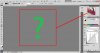
I fixed it by going to [Edit] > [Preferences] > [Performance] and un-checking the Enable OpenGL Drawing. : -) I hope that helps.
I had just re-installed the program and opened a old PSD I made during the Trial Period, and the image didn't show up in the workspace but it did show up in the Navigator.
I fixed it by going to [Edit] > [Preferences] > [Performance] and un-checking the Enable OpenGL Drawing. : -) I hope that helps.
Last edited:
A lot of people seem to be having this problem.
http://www.photoshopgurus.com/forum/photoshop-troubleshooting/31944-image-not-appearing.html
http://www.photoshopgurus.com/forum...ing/31942-cs5-not-opening-files-properly.html
http://www.photoshopgurus.com/forum/photoshop-troubleshooting/31944-image-not-appearing.html
http://www.photoshopgurus.com/forum...ing/31942-cs5-not-opening-files-properly.html
Hailey Hedge
New Member
- Messages
- 1
- Likes
- 0
Worked like a charm aguerin! Cheers