What's new
Photoshop Gurus Forum

Welcome to Photoshop Gurus forum. Register a free account today to become a member! It's completely free. Once signed in, you'll enjoy an ad-free experience and be able to participate on this site by adding your own topics and posts, as well as connect with other members through your own private inbox!

First Logo in Illustrator// Honky-Tonk


Lind Designs

Well-Known Member
Messages
50
Likes
15
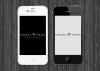
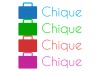
Hey guys I just downloaded Adobe Illustrator yesterday for logo designing purposes. I decided logo design is the best road for me to go down. Here is my first crack at a logo. I watched probably 4 hours of tutorials before creating this, and I think Illustrator is a GREAT program. Please leave feedback. Thanks. :)
 

Attachments

  • HonkyTonk.png
    HonkyTonk.png
    105 KB · Views: 3
  • HonkyTonk2.png
    HonkyTonk2.png
    105.3 KB · Views: 2
  • HT iPhones.png
    HT iPhones.png
    900.7 KB · Views: 2
Very nice indeed...

Ai is the cat's pyjamas when it comes to logos lol.

Nice logo, good presentation.

Keep up the good work.
 
Very nice indeed...

Ai is the cat's pyjamas when it comes to logos lol.

Nice logo, good presentation.

Keep up the good work.
Thanks. :) Photoshop is the snails pajamas when it comes to logos. Wait, snails don't wear pajamas you say? EXACTLY.
 
Nice job! Just be careful using crossed effects like on your brushes, it has on some people a repulsive effect. Not on me, good job.
 
Nice job! Just be careful using crossed effects like on your brushes, it has on some people a repulsive effect. Not on me, good job.
I heard this on one of the tutorials I watched, too. He explained how if you do want to cross things, make sure it doesn't show them overlapping, and make it look like one object.
 

Back
Top