What's new
Photoshop Gurus Forum

Welcome to Photoshop Gurus forum. Register a free account today to become a member! It's completely free. Once signed in, you'll enjoy an ad-free experience and be able to participate on this site by adding your own topics and posts, as well as connect with other members through your own private inbox!

Specific Removing background


Status
Not open for further replies.

nathalia

Banned
Messages
1
Likes
0
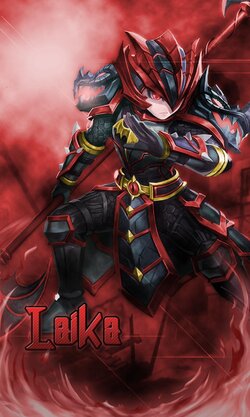
I would like if possible to request help removing the background of this image and the name Laika (Laika is the name of the character)
from the picture below.

I tried removing it in some of these websites you can find on google, but it cut her axe :'(
IWKoB1T.png


laika.jpeg
 
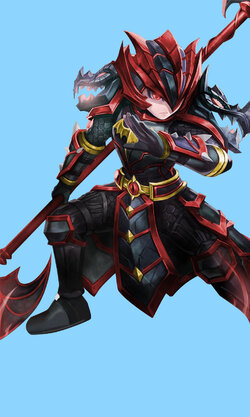
Here's the background removed. The first one is on a blue background, just for ease of seeing. The second one looks like a white background, but it's actually a transparent background, so you can copy it to any other image you want.

laika.jpg


laika.png
 
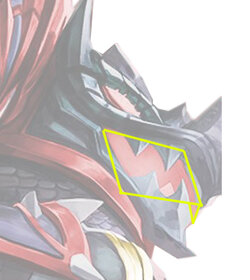
You left some of the red background in the interior of the dragon's mouth (the one on the right). Was that deliberate?
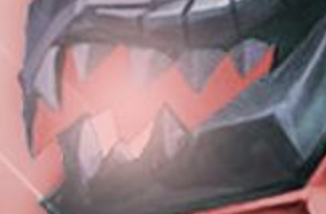
I've found some mistakes I've made but that isn't one of them...or at least it was a conscious decision. It looks to me as though the right hand dragon is turned much more than the left one and that we are looking up at that head, The front of the 'upper jaw' pointing down dictates I should be seeing the inside of the upper palette of that mouth and that area is that 'red background'. Admittedly its a judgment call. I would have thought that there should have been a, more or less, horizontal demarcation where that far upper fang meets the gum line but that's just me being critical. Or maybe the area below that demarcation is the inside of that fang and reflecting the red.

I've boxed in yellow that plane of where' I think the upper palette should be along with the back of that tooth (maybe).

Laika_dragon mouth.jpg
 
Last edited:
Status
Not open for further replies.

Back
Top