Allistair Crossley
New Member
- Messages
- 2
- Likes
- 0
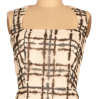
I have attached an image of a dress on a background. I have a bunch of these photos. Some dresses are dark, some colored, some textured.
I need to remove them from the background, which is always this dark cream/brown color.
Sometimes the dress edges are similar but always different to the background.
I know a bit of photoshop and have tried a range of things. I am looking for the fastest way but the best result if no fast way exists.
I have tried:
1. Quick select, tweaking tolerance and using refinement to smooth (still creates a somewhat messy edge)
2. Smart quick select as above.
3. Replace color on background (affects the dress often - could potentially try masking out the dress but I fear the edge will end up looking too sharp)
4. Quick select refined by quick mask brush-based select. Edge is inconsistent. The lines need to be super smooth.
5. Pen tool. This was my best result in terms of sharpness, but takes a little longer than I'd hoped.
I just wanted to see if anyone had any further suggestions for this kind of task.
Thanks!
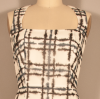
I need to remove them from the background, which is always this dark cream/brown color.
Sometimes the dress edges are similar but always different to the background.
I know a bit of photoshop and have tried a range of things. I am looking for the fastest way but the best result if no fast way exists.
I have tried:
1. Quick select, tweaking tolerance and using refinement to smooth (still creates a somewhat messy edge)
2. Smart quick select as above.
3. Replace color on background (affects the dress often - could potentially try masking out the dress but I fear the edge will end up looking too sharp)
4. Quick select refined by quick mask brush-based select. Edge is inconsistent. The lines need to be super smooth.
5. Pen tool. This was my best result in terms of sharpness, but takes a little longer than I'd hoped.
I just wanted to see if anyone had any further suggestions for this kind of task.
Thanks!