Hi
@Landlocation -
I can't go as deep as
@thebestcpu since my head starts to really hurt. What he writes hopefully provides some insight.
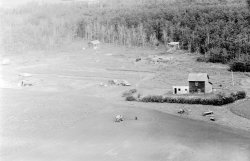
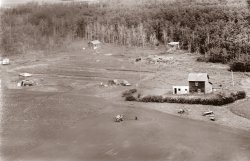
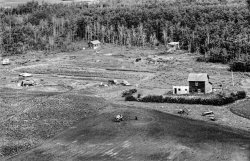
What I would add, though, is that the grain inherent in the image may go back all the way to the film used and the negative produced. Scanning these images at higher resolutions can only increases the grain, not reduce it. Your original upload, from what I can see, is already grainy.
Scanning at 300 ppi (not dpi) is generally thought of as the standard. A tiff file would be better than a jpg since it's a lossless file. For instance, if you scan as a jpg, the more you handle the file, ie opening as a jpg, and resaving as a jpg, you start to lose information/detail. The trade off is that tiff files are generally huge and certainly can't be uploaded here. Bottom line, I believe, is input = output. If you start with a grainy image, there is only so much you can compensate for it. There is software to be used - but not without compromise. You can't add detail that isn't there.
The other factor that I had recently read about, is the native resolution of the printer you use. In general, most printers have a native resolution of 300 dpi (dots per inch). So no matter high a resolution of the photo you're sending to your printer, it will reformat it so it prints at 300 dpi. DPI may equal PPI, but even if you send a 600 ppi file to the printer, it will still only print at 300 dpi. Which also depends on the quality and size of your printer.
Now you know why my head starts to hurt. But it all can translate into the old acronym GIGO - garbage in, garbage out. I don't like calling data garbage, especially the images we work so hard to produce. So better to give it the formula WYI = WYO, or What You Input equals What You Output. So, take a look at your film negative if you can and see if you can determine the quality. Access to a higher quality scanner might be part of the solution.
Just one more addition - what John said about viewing distance is also correct as explained in this article:
Learn basic techniques from Digital Photo Pro to help find the right print resolution for your images, to make sure you get optimum quality.

www.digitalphotopro.com
In the last print production position I freelanced, I had to produce 20 foot wide convention panels that included images. We handed the printer files that had the images at 50% of size at 150 ppi. So the final images ended up as 75 dpi. As someone who was used to seeing high quality/high resolution images in catalogs and direct mail, I thought that was an error. But as was explained to me, holding a catalog in your hand is not the same as seeing a convention panel from 12 feet away.
I hope I haven't gone on too long...I certainly did at the production desk...

- Jeff