
What's new
Photoshop Gurus Forum

Welcome to Photoshop Gurus forum. Register a free account today to become a member! It's completely free. Once signed in, you'll enjoy an ad-free experience and be able to participate on this site by adding your own topics and posts, as well as connect with other members through your own private inbox!

Help changing the color


Jantonio777

Active Member
Messages
27
Likes
1
Hello to everybody, I been trying to change the color in the coffe beans for a dark red but the only I got was a pale pink, any idea what I been doing wrong? I select a dark red from the color pallet but the result is the one you can
see in the picture. Your comments are very appreciated as your help. Thank you.
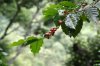
Sample1.jpg
 
You can do the adjustments directly on the adjustment layer without affecting the original image. It's just a layer with adjustment settings which you can edit anytime. You can delete the adjustment layer if you wish to try some different adjustment layer.
 
Here's what I'm saying....

But first bear in min that an adjustment layer affects any image layer underneath it.

View attachment 14169

In my example, I created a layer copy of the beans only . After which applied the hue and saturation layer above it

Now, doing this will also affect the original image - the entire image will turn red. Which is why I created a clipping group with the adjustment layer and coffee bean. ALT + click line between adjustment layer and coffee bean layer.

This will only show the color hue changes on the beans.
 
Sorry I did not answer, I did it. thanks for your advises to both. I will keep asking questions, if you don't mind. I'm a beginner.
 

Back
Top