
What's new
Photoshop Gurus Forum

Welcome to Photoshop Gurus forum. Register a free account today to become a member! It's completely free. Once signed in, you'll enjoy an ad-free experience and be able to participate on this site by adding your own topics and posts, as well as connect with other members through your own private inbox!

Help! Image resolution


mozzle

Member
Messages
7
Likes
0
Although being fairly new to Photoshop, I've always managed to solve my own problems, that is until now.

I have a low resolution photo with text that I need to make out. I've tried sharpening, I've downloaded the free trial of Genuine Fractals 6 and gave that a shot, still couldn't make anything out.

Could you offer any suggestions? Or is it simply impossible.

Maybe if someone had some spare time and was up to the challenge?

Thank you for any advice you may have.
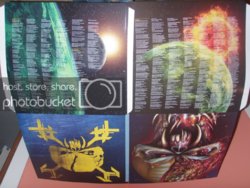
TFFInsideCover.jpg
 
That's going to be tough... not much detail there.

Might just be impossible.... is that the highest res version of that image you have?

What is it exactly, an album cover? Do you know the name of the band or the album?
 
Yeah that's the highest resolution available. It's the Sleeve for the new Iron Maiden Album titled "The Final Frontier" and it's the only image of the sleeve available as the album doesn't come out for another 2 weeks.

I've had the photo for a couple days now. Worked on it a bit, but just couldn't' get anything from it. I'm not sure if it's because I'm still relatively new to Photoshop, or if it's because it's actually not possible.
 
I worked on it a little.... mostly just playing with unsharp mask and levels.... it helps but still can't read it.
 
Thanks guys. I'm grateful for the feedback, and kind of glad that I'm not the only who wasn't able to get it. Would have been cool to be able to read though.
 

Back
Top