00jwhittle
Active Member
- Messages
- 26
- Likes
- 0
hi,
ok so i cut t-shirts on vinyl and press them onto shirts. I usually only do very basic designs. This time i am trying to make a tshirt for a friend for christmas and the only thing i know he likes is scott pilgram v the world (film)
i have found the prefect design to go into the shirt..the problem is i want the design on a black shirt so i must cut it out on white vinyl. When i invert the image to white it doesnt look right at all.
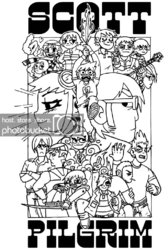
this is the image before i invert it
AFTER. It just doesn't look right.
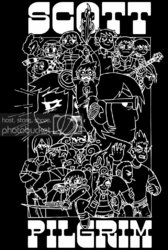
What can i do to make it look good when its white?
Thanks for reading.
ok so i cut t-shirts on vinyl and press them onto shirts. I usually only do very basic designs. This time i am trying to make a tshirt for a friend for christmas and the only thing i know he likes is scott pilgram v the world (film)
i have found the prefect design to go into the shirt..the problem is i want the design on a black shirt so i must cut it out on white vinyl. When i invert the image to white it doesnt look right at all.
this is the image before i invert it
AFTER. It just doesn't look right.
What can i do to make it look good when its white?
Thanks for reading.