What's new
Photoshop Gurus Forum

Welcome to Photoshop Gurus forum. Register a free account today to become a member! It's completely free. Once signed in, you'll enjoy an ad-free experience and be able to participate on this site by adding your own topics and posts, as well as connect with other members through your own private inbox!

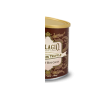
How do I make the outline/borders from this image?


QuietCompany

Member
Messages
11
Likes
0
How do I make the outline/borders similar to this image?

I'd like to use the border from this image to design a custom hockey card (but it'll have a hockey player instead of where it says Bellagio...). Wondering what do I use to make the outline and to make it symmetrical? It doesn't have to be exact obviously. I know the first step would be to make a rectangle with curved corners using the radius. For the part sticking up/down in the middle of the rectangle I'm guessing I use ovals and cut them. My main problem though is that I don't know to make it look symmetical without making it for half the design and then duplicating/mirroring it and I'm sure there's a better way. I'm also not sure how to make the fancy thick swirls. Thanks
img-products-gourmet-cocoa.png
 
Last edited:
The way I would do it is to transform it to look as flat as possible (as if the paper were rolled out). Then I would use the pen tool to trace it (otherwise the quality will be very poor) then duplicate for the other side and transform horizontally.

img-products-gourmet-cocoa.png
 
1) Use the pen tool to trace 1/2 of the shape.

2) Hold ctrl+alt and drag the path to duplicate it.

3) Edit-Transform Path - Flip Horizontal.

4) Join the two paths.
 
It looks very much like a mixture of Baroque and Rococo leaf patterns, place around an Art Nouveau/ Neo Georgian boarder.

Doing half, and then duplicating the half and flipping it, it's the easiest and quickest way of making sure it is perfectly symmetrical. I would strongly suggest doing your own combination of patterns, as theses patterns are usually be protected by copyright.

I would normally agree with using the pen, but with the amount of free boarders and patterns out there, it would be easier to put different bits of patterns together to make a new one. It would take ages to pen round all of that detailed leaf pattern.
 
Not really answering the question but I would google "Ornate scroll" or "Ornate scroll brush" and grab wht you need plus a bit more because you can never have enough and use the can as a reference to what you want to accomplish. For me it would be too much friggin around trying to get that pattern off the can.
 
Not really answering the question but I would google "Ornate scroll" or "Ornate scroll brush" and grab wht you need plus a bit more because you can never have enough and use the can as a reference to what you want to accomplish. For me it would be too much friggin around trying to get that pattern off the can.

Might try that.

I actually don't care too much about replicating that exact pattern. I'm more interested in knowing how something similar to it can be made even if it's not exact. For example the people who designed that if they were using photoshop, how would they start off?
 
Im guessing that would of been made in illustrator. However I reckon photoshop would be easier for making what you want.
 

Back
Top