Welcome to Photoshop Gurus forum. Register a free account today to become a member! It's completely free. Once signed in, you'll enjoy an ad-free experience and be able to participate on this site by adding your own topics and posts, as well as connect with other members through your own private inbox!


Thank you JJLAPIN.The Text you have cannot be edited. It is not a true Text Layer. It was outlined in Illustrator and placed as a Smart Object.
Thank you so much Eggy.When double clicking on the smart object a .psb file opens.
That psb file contains a non editable vector file (the text can not be changed).
I you want to edit the text you'll need to rasterize the smart object, erase the text after matching the font and type in the desired text.
Then you can close and save the psb file and the result of the changes will show.
View attachment 92051
Sam sir, Thank you very much for your precious time and valuable knowledge.I also think that the original file was not created for changing the text, it was for adding a logo. The "Black and Gold" was supposed to be a logo and not editable text.
When you double click the SO, your supposed to turn off the existing "logo" and add your own.
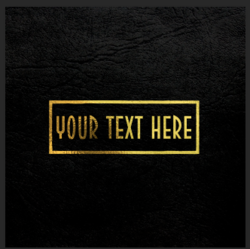
I used Eggy's technique to change the text, and created a group. Open the SO, in the group just turn off the old text layer and add a new text layer. Position within the box................or you can turn off the box as well.
View attachment 92055
You can also just turn off the group and add your logo.
Close and save the SO (PSB file).
View attachment 92056