What's new
Photoshop Gurus Forum

Welcome to Photoshop Gurus forum. Register a free account today to become a member! It's completely free. Once signed in, you'll enjoy an ad-free experience and be able to participate on this site by adding your own topics and posts, as well as connect with other members through your own private inbox!

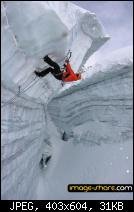
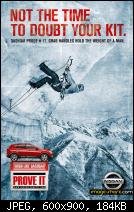
how to do this effects?


at a guess all that is a case of just going to image >adjustments> desaturate and then go to image >adjustments>photofilter and adding a blue tint or a colour overlay in blending options
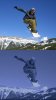
19_5_orig.jpg
 
Hi pivote

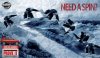
I was playing whit some layer blendings, adjustments and layer styles and i got this, is not exactly what you are looking for but anyway.

NISSAN_SPIN_00.jpg

Basically:


- Once you got your composition, create a flattened copy of it.

- Desaturate the image in order to get a B&W version of it.
- Find some crumpled paper texture and set it to multiply play whit opacity 'til you get a nice mix between the texture and your comp.
- Apply a levels adjustment layer to increase shadows and highlights.
- Then go to layer styles color overlay choose a medium dark blue shade, make sure that the blending mode is set to overlay sometimes is not.
- lower opacity of the color overlay FX until you got something you like.
- Also if needed apply some sharpening to get a more detailed and "sharp" effect
- Almost Forgot, also add some noise

That will be my quick 10 min try. "LOL"
 
Last edited:

Back
Top