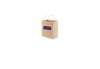
Anyone can suggest how can i place the label to be in-line with the bag.
From what i can do now, i just can rotate the label to have the same angle as the bag (see the picture below), however, it's still not looked real. It seem like i need to press down more on the left bottom in order to make the picture not too fake.
I try searching from google and youtube but still cant find any way to make it happen.
Please help suggest and thank you in advance for all of your advices
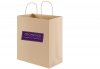
From what i can do now, i just can rotate the label to have the same angle as the bag (see the picture below), however, it's still not looked real. It seem like i need to press down more on the left bottom in order to make the picture not too fake.
I try searching from google and youtube but still cant find any way to make it happen.
Please help suggest and thank you in advance for all of your advices