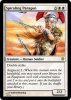
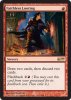
Hey there, I'm trying to import my excel.csv file into Photoshop to quickly create multiple copies of my design through excel variables.
I need help with empty cells & putting picture icons into my text so that it shows up when imported / created.
The Icons I'm trying to implement (other photoshop files) are supposed to be part of the text, so appear within a sentence, but I'm unsure how to implement it into my excel.csv spreadsheet for it to then show up in the final design. Think of it like emote icons within a sentence in MSN.
As for empty cells, not all of my variables will Always have something there. The reason being, is because; let's say I have a text box - I'm not quite sure how to succinctly created multiple sentences within excel to then appear in my final design. So have created 3 Photoshop text boxes to facilitate that concern. However, if there's an empty cell in excel (even with a Space in it) it won't import.
Can anyone help ? Thank you for taking the time to read this.
I need help with empty cells & putting picture icons into my text so that it shows up when imported / created.
The Icons I'm trying to implement (other photoshop files) are supposed to be part of the text, so appear within a sentence, but I'm unsure how to implement it into my excel.csv spreadsheet for it to then show up in the final design. Think of it like emote icons
within a sentence in MSN.As for empty cells, not all of my variables will Always have something there. The reason being, is because; let's say I have a text box - I'm not quite sure how to succinctly created multiple sentences within excel to then appear in my final design. So have created 3 Photoshop text boxes to facilitate that concern. However, if there's an empty cell in excel (even with a Space in it) it won't import.
Can anyone help ? Thank you for taking the time to read this.