What's new
Photoshop Gurus Forum

Welcome to Photoshop Gurus forum. Register a free account today to become a member! It's completely free. Once signed in, you'll enjoy an ad-free experience and be able to participate on this site by adding your own topics and posts, as well as connect with other members through your own private inbox!

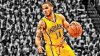
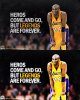
Posterizer type effect, please help


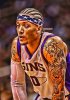
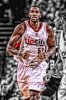
How do I do this in photoshop? Which effects do I use and stuff? Thanks for the help./QUOTE]
They're all different and there isn't a step by step formula for any of them.
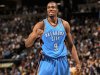
serge_ibaka_hq_wallpaper-normal.jpg

It's more complicated than this but here's a start, done in ACR

raw.jpg

Play with vibrance, saturation. contrast, etc.
 
Here is a link to a forum sticky which discusses several different effects such as these. You can find it here.
 
I got these pictures from I live for basketball facebook page.

Steve thanks I will try that today and post some pictures later today.
ibclare thanks will check that out.
 
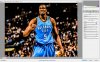
Duplicate your image and go to Filter -> Oil Paint. Play with that effect and when done reduce the opacity of that layer. Also add more contrast and brightness. Also change some curves and levels to add or reduce bright and/or dark parts of your image. For the text i used motion blur. (With a lot more time you can come up with something a lot better than this. Just gave you some directions to go, hope it helps)

basketball.jpg
 
Duplicate your image and go to Filter -> Oil Paint. Play with that effect and when done reduce the opacity of that layer. Also add more contrast and brightness. Also change some curves and levels to add or reduce bright and/or dark parts of your image. For the text i used motion blur. (With a lot more time you can come up with something a lot better than this. Just gave you some directions to go, hope it helps)

View attachment 35563

alright thanks will try it.
 

Back
Top