Hoochykins
Member
- Messages
- 9
- Likes
- 0
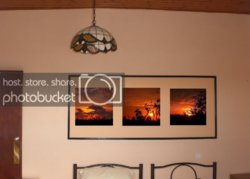
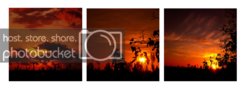
Hello, I have just signed up and I need a little help. My dad has taken 3 photos and he wants them printed into canvas for Christmas. I need the images edited to try and get the colour so it matches on all 3. Below is what the 3 canvas images will be like, but as you can see I have tried to get the colour to match but my Photoshop skills are not up to much! The size of the canvas's will be 50cm Square
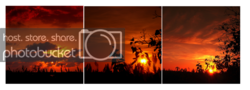
You will see from the originals I have cropped the image and have tried to make the horizon the same level.
So what I am looking for is a square image with the horizon on all three photos level with each other and the overall colour of the image the same. If you guys have any ideas to make the photos better then i'm always interested in see what you can do :mrgreen:
I will attach a .rar with the originals as I know I will have ruined the quality will all my fiddling. Can you guys show me what you can do with your awesome photoshopping skills
View attachment Canvas Images.rar
You will see from the originals I have cropped the image and have tried to make the horizon the same level.
So what I am looking for is a square image with the horizon on all three photos level with each other and the overall colour of the image the same. If you guys have any ideas to make the photos better then i'm always interested in see what you can do :mrgreen:
I will attach a .rar with the originals as I know I will have ruined the quality will all my fiddling. Can you guys show me what you can do with your awesome photoshopping skills
View attachment Canvas Images.rar